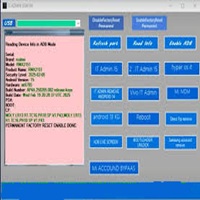
Introduction
This tool is designed for handling MDM lock, KG lock, and restrictions based on ADB that are frequently identified on modern smartphones. The tool, through its simple way of engagement and rewarding result, enables users to remove hurdles and perform vital device functionalities without complicating the actions.
Description
It uses ADB (Android Debug Bridge), which enables tool commands for accessing the device directly, thereby being closer. The necessary items would be a beginner and an expert technician with high-end hardware.
ADB MDM KG Tool supports a myriad of brands, including Samsung, Xiaomi, Vivo, Oppo, Realme, Tecno, Infinix, Motorola, and Nokia, given the enablement of ADB debugging.
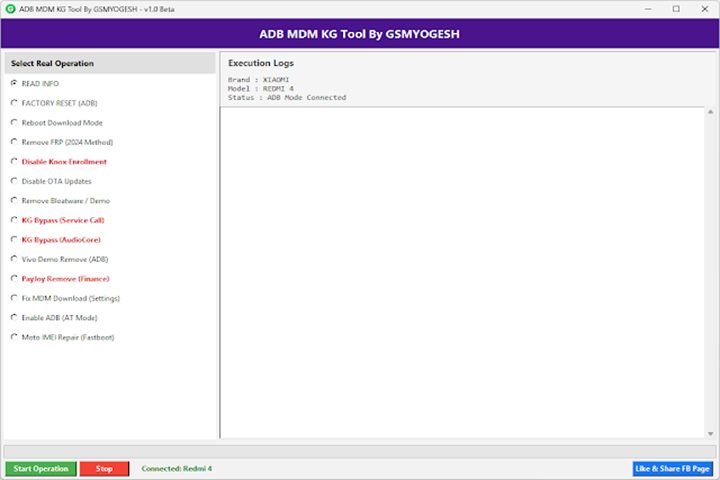
Key Feature of ADB MDM KG Tool v1.0
1. Bypass MDM
For Android devices that undergo restriction or data access restriction, MDM configuration profiles can be skipped quickly.
2. KG Unlock (Knox Guard)
Undo restrictions on Knox Guard or KG Lock integrated devices—where ADB access is enabled.
3. Online ADB Operations
These functions include removing apps and services, disabling features, and cleaning up the long-held restrictions by ADB operations.
4. Single Click
Each action is reduced to a single click, and even users with minimal background knowledge can pick it out.
5. No Activation Needed
The application is completely free, and no registration is needed for login or even at the class levels to play the game.
6. Small Size and Velocity
The software is small, works smoothly even on low-spec PCs, and completes tasks within seconds.
7. Low-Key Band Familiarity
The tool helps support a fraction of Android versions that entertain ADB connectivity for unlocking and bypassing operations as well.
How to Download and Install ADB MDM KG Tool v1.0
These installation steps will take you through the process of running the program on a Windows PC:
Step 1—Get the Installer File
Step 2—Unzip the ZIP
Now, you have the downloaded file by right-clicking on the downloaded file and selecting the options of ‘Extract Here’ or ‘Extract to Folder’ with WinRAR or 7-Zip.
Step 3—Run the Tool
Step 4—Connect Your Device
Enable USB debugging on the Android device.
Link (omit) the phone to your PC after establishing the USB cable connection.
Step 5—Allow ADB Authorization
Step 6—Bypass
See the path you want your device to take—are you going for the MDM removal, KG unlock, or just issuing an ADB command?
Download Link: HERE
Your File Password: 123
File Version & Size: | 11.41MB || v1.0 |
File type: compressed / Zip & RAR (Use 7zip or WINRAR to unzip File)
Support OS: All Windows (32-64 bit)
Virus Status: 100% Safe Scanned By Avast Antivirus