Introduction
In today’s mobile repair industry, technicians require efficient and reliable software to handle firmware management, device maintenance, and Android troubleshooting. As smartphone security becomes more advanced, having a professional servicing utility can significantly improve repair speed and accuracy. GsmKgTool is a feature-rich Windows application developed to assist mobile repair professionals and Android enthusiasts with a wide range of supported device servicing operations.
Whether you’re managing firmware, reading device information, rebooting into service modes, or performing routine maintenance on supported Android devices, GsmKgTool provides a centralized platform that simplifies complex procedures. Its lightweight design, intuitive interface, and stable performance make it suitable for both beginners and experienced technicians.
The latest version of GsmKgTool includes performance enhancements, expanded device compatibility, and improved software stability, making it a valuable addition to every mobile repair toolkit.
Overview
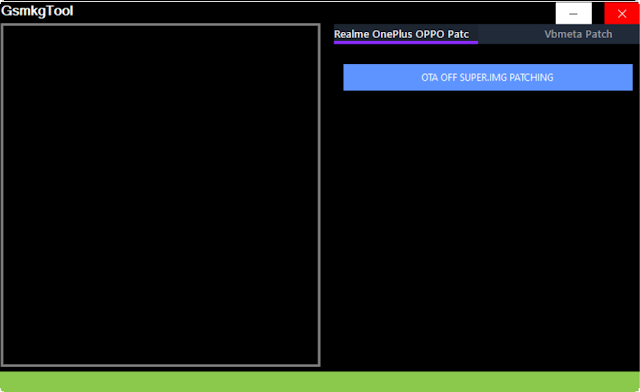
GsmKgTool is an all-in-one Android servicing utility designed for Windows computers. The software integrates multiple maintenance and diagnostic functions into a single interface, allowing technicians to manage compatible Android devices without relying on numerous separate applications.
The tool supports communication through standard Android service interfaces such as ADB (Android Debug Bridge) and Fastboot, depending on the device model and manufacturer. It enables users to retrieve device information, reboot into different service modes, manage firmware-related tasks, and perform other supported maintenance operations.
GsmKgTool is designed to reduce the complexity of Android servicing by providing an organized dashboard where users can quickly access commonly used functions. Its lightweight architecture ensures smooth performance even on entry-level Windows PCs.
Description
GsmKgTool is built to simplify Android software maintenance by combining essential repair and diagnostic features into one easy-to-use application. Instead of switching between multiple utilities, technicians can perform several supported service operations directly from a single interface.
The software provides reliable communication with compatible Android smartphones through USB, allowing users to detect connected devices, view hardware and software information, and access various maintenance functions. Its optimized communication engine improves connection stability while reducing the chances of operation failures.
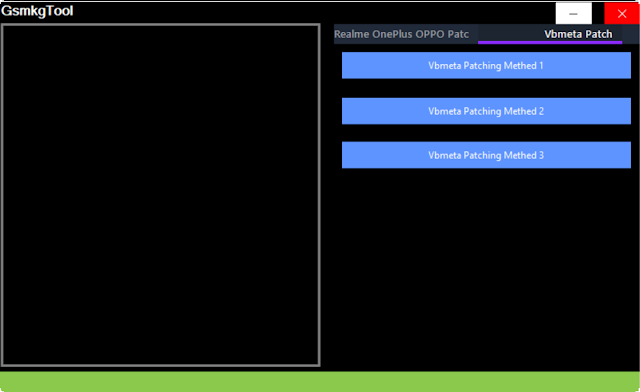
One of the key strengths of GsmKgTool is its clean and intuitive user interface. Both beginners and experienced mobile repair professionals can quickly navigate through available features without extensive technical knowledge.
The latest version also includes various performance improvements, compatibility updates, and bug fixes, ensuring smoother operation on newer Android devices and Windows operating systems.
Key Features
1. All-in-One Android Service Utility
Combines multiple Android maintenance and servicing functions into one application.
2. ADB Support
Perform supported Android Debug Bridge (ADB) operations for compatible devices.
3. Fastboot Compatibility
Supports Fastboot communication for advanced device management tasks.
4. Automatic Device Detection
Quickly detects connected Android smartphones through USB.
5. Device Information Reader
Retrieve detailed hardware and software information before beginning maintenance.
6. Firmware Management
Supports firmware-related tasks for compatible Android devices.
7. Software Troubleshooting
Assist in diagnosing and resolving common Android software issues.
8. Service Mode Reboot
Reboot supported devices into Fastboot, Recovery Mode, or other available service modes.
9. Lightweight Performance
Runs efficiently without consuming excessive CPU or memory resources.
10. User-Friendly Interface
Simple navigation makes the tool suitable for beginners and professional technicians.
11. Stable USB Communication
Improved USB connectivity ensures more reliable interaction with supported devices.
12. Regular Updates
The software continues to receive compatibility improvements, bug fixes, and new servicing functions.
How To Install GsmKgTool
Installing GsmKgTool is simple and requires only a few minutes.
Step 1: Download the Software
Download the latest version of GsmKgTool from a trusted source.
Step 2: Extract the Files
Use WinRAR or 7-Zip to extract the downloaded ZIP or RAR archive.
Step 3: Install Required Drivers
Install Android USB Drivers, ADB Drivers, Fastboot Drivers, or chipset-specific drivers required for your device.
Step 4: Disable Antivirus (Optional)
Some servicing tools may trigger false-positive antivirus detections. Temporarily disable antivirus software if necessary.
Step 5: Launch the Application
Run GsmKgTool as administrator to ensure proper access to system resources.
Step 6: Connect Your Android Device
Connect the supported smartphone using a reliable USB cable.
Step 7: Enable USB Debugging
If ADB functions are required, enable Developer Options and USB Debugging on the Android device.
Step 8: Select the Required Operation
Choose the appropriate maintenance or diagnostic function from the dashboard.
Step 9: Complete the Process
Wait for the selected operation to finish successfully before disconnecting the device.
Download Link: HERE
Your File Password: Gsmlabsolution.com
File Version & Size: | 2.87 mb |
File type: compressed / Zip & RAR (Use 7zip or WINRAR to unzip File)
Support OS: All Windows (32-64 Bit)
Virus Status: 100% Safe Scanned By Avast Antivirus