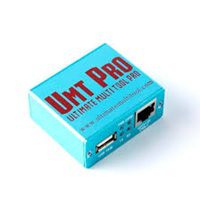
Infinity CM2MT2 v3.16 Latest Version Setup 2026
Infinity CM2MT2 v3.16

Introduction
In the professional mobile repair industry, the utilization of modern Android service tools plays a significant role in providing quicker solutions to software issues.
For MT2MT2, this is a specific Windows application targeting Android smartphones running on MediaTek processors. It backs customers with options for flashing firmware, unlocking devices, software repairing, and other support actions, all together making the tool more efficient. Such enablers improve the technician’s production system and bring down repair errors.
In this SEO-optimized article, we will start by acquainting you with the introduction, description, overview, key features, installation guidelines, and system demands of the Infinity CM2MT2 v3.16 application
Overview
Infinity CM2MT2 v3.16 is the most recent all-around Android servicing software created, bearing in mind MediaTek tablets and tablets. This software is the complete resource for specialists and customers. Combining several devices and services to ensure that a device system is maintained.
The app uses the platforms that Android devices used to communicate–the Android Debug Bridge (ADB), fast boot, and MediaTek communication technologies. These systems facilitate involvement with the Android operating system at the helix and chipset levels.
The ideal platform to make operational compatibility feasible for MediaTek-based chipsets can be mentioned in this part of the example. The toolkit is exclusive to MTK-based equipment used for repair, which has an impact on the repair rate and operational stability.
The revolutionary v3.16 includes an advanced speed of flashing, enhanced connection of the machine, and best building practices.
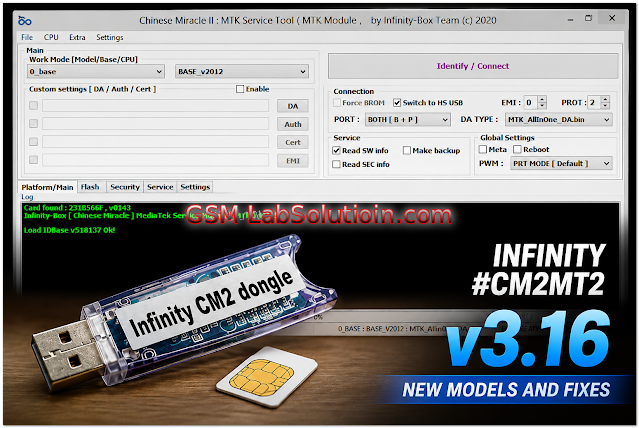
Description
Infinity CM2MT2 v3.16 is scripted to target challenges of software in MediaTek devices. Examples may include software updates, device software issues, or any other technical issues.
The powerful utility includes advanced repair features to help technicians analyze and troubleshoot different issues and even provide a solution for repairs.
Mentioning the tool’s functions, the first one mentioned is firmware flashing, which is necessary for users to copy and restore the associated MediaTek firmware applications in a flash.
The training our software provides enables one to easily master how to remove FRP (Factory Reset Protection) forgetfulness that accompanies Google account verification on compatible Android devices once the user resets the smartphone to its factory setting. It enables them to verify the model, its software version, Android version, and chipset.
Its lightweight structure enables running the software easily on most Windows systems without requiring a high-efficiency system.
Key Features
Flashing Firmware
Supports pushing crypto on MTK-based smartphones.
Handles Factory Reset Protection
It offers a mechanism to tamper with the Factory Reset Protection in compatible Android devices.
Properly Supported
Engineered for optimal compatibility with MediaTek devices.
ADB/FastBoot support
Communication via stable ADB/Fastboot protocols.
Reading Device Information
It shows detailed information on the handset and the chipset.
Fast Processor’s Engine
Greatest for fast and smart repair processes.
Performance is reliable.
Increased the consistency, assuring superior communication and running.
Well-designed UI
The system layout is very easy to navigate.
How To Install of Infinity CM2MT2 v3.16
Step 1:
Source Infinity CM2MT2 v3.16 kit from a trusted source of mobile repair software.
Step 2:
Extract the downloaded ZIP or RAR archive using WinRAR or 7-Zip.
Step 3:
Start opening the folder and look for the installation file.
Step 4:
MediaTek USB drivers, as well as ADB drivers, should be installed immediately for proper device communication.
Step 5:
Click on the setup that you have downloaded and now you should see the installation instructions on your screen.
Step 6:
Open the file using the administrator options once the installation process has been completed.
Step 7:
Connect a MediaTek-based Android mobile to the computer using a USB cable.
Step 8:
Undoubtedly, run the flashing, flipping, and repairing routines.
After installation, Infinity CM2MT2 v3.16 will go into action and be ready for all Android servicing purposes.
Download Link: HERE
Your File Password: Gsmlabsolution.com
File Version & Size: | 73.82 MB || V3.16 |
File type: compressed / Zip & RAR (Use 7-Zip or WINRAR to unzip the file)
Support OS: All Windows (32-64 Bit)
Virus Status: 100% Safe. Scanned By Avast Antivirus