Pandora Box V9.9 New Version Free Download
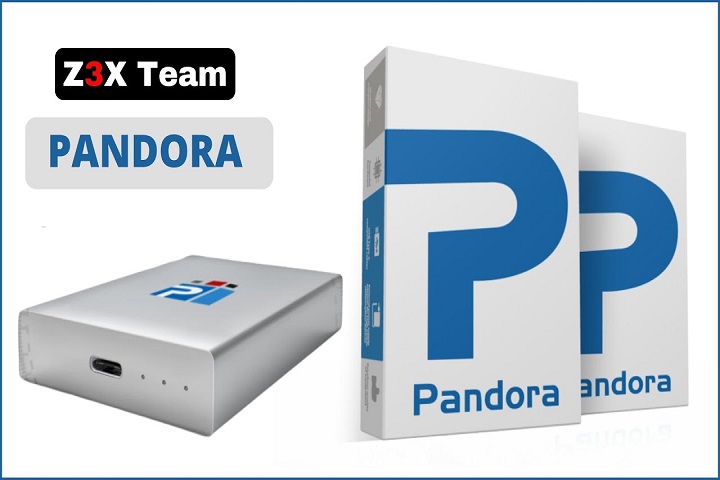
Pandora Box

Introduction
Pandora’s Box has for a time now been considered the all-in-one reliable servicing suite by all mobile technicians, workshops, and enthusiasts whose sole reason for using this tool seeks a convenient place to expect versatile device services. This freedom of further development has now arrived with the inauguration of v9.9 of Pandora’s Box, leading to a wider device range, enhanced processes towards flashing and recovery, and stronger FRP, IMEI, and firmware functionalities. This update approaches stability enhancement through easy-fix and prevention of session failures. Routine repairs are made more time-efficient.

Description
Pandora Box V9.9 is a Windows desktop PRONTO mobile service tool used for file flashing, format problems, FRP bypassing for lawful situations, boot repair, and other diagnostic tasks on a level of hardware. It can also work with various chipsets, such as MediaTek, Qualcomm, Spreadtrum, and even some axons processors, featuring modules specifically designed for world-famous brands and models.
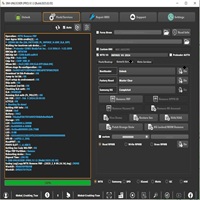
The user interfaces are divided into tabs and modules of plain names — Flash, Repair, Unlock, Read/Write, and Tools — making it relatively easy for the technician to reach out for the appropriate function. The software box also allows the use of that very device in pre-scripts of device-specific ones and the built-in driver with the added bonuses of reducing the friction of one’s own settings.
Pandora’s Box is usually the exclusive skin of mainstream shopping or designated outlets and is only authentic when you have obtained an activation license.
Key features of Pandora’s Box v9.9
Bigger range of devices/firmware
An increasing number of device models and firmware versions (particularly those for newly released models and newly changed chipsets) have been included in the release of V9.9, and manual operations will be eliminated.
Functional Firmware Flashing Engine
Nowadays it is easier both to understand the flash algorithms, which are constructed for achieving stable and sufficient speeds, and to apply appropriate methods of successive downloading of all the necessary parts and one simple action performance.
Safety of Recovery and Unbrick Routines
The new approach to the algorithms, developed for recovery of erroneous or partially destroyed firmware, has smoothed the process. This makes the task of fixing devices stuck in boot loops or devices with damaged partitions easier than before.
FRP and Account Tools (for authorized use)
The FRP bypass techniques with Unlock key are included for supported versions; they can be accessed by the technicians that can assure possession or are authorized by the owner.
IMEI & Network Repair Utilities
Depending on the areas where local regulations are in favor, Pandora Box also has the feature of being able to repair IMEI and network-related software problems. Such toolsets often provide logging and checks to help as much as possible in the case of legal disciplinary measures.
Integrated Driver Installer
Pandora Box unites and shows the vendor drivers and points on the proper installation of those. It is thought to be a helpful factor in detecting devices as windows install, and the detection will be more reliable.
Diagnosis and Read/Write Tools
Such processes can be given for free by such tools as providing information about the inner details like device, extracting partitions, displaying the backup of user data, the checksum to validate the firm response.
Session log and report
This feature upgrades the session logs and reports of an operation so that help is also available in accountability tracking, analyzing changes, and fixing repeated issues, which is really helpful in a shop environment.
User Experience Manual Enrichment
No more muddy UI flows, lovely contextual help, and auto-checking lists shorten errors and keep techs on track, even when faced with long and complex processes.
Pandora’s Box v9.9 installation process details
Always look for the authorized agent of the Pandora Box when downloading from the internet. Official vendors and websites will provide the genuine software for safe installation. Failure to do so may come back to haunt you as you may be downloading a broken version, or worse – a virus or some other malicious software.
Check whether all technical requirements are met.
Verify whether you have a Windows PC (Windows 10 / II maybe better), 8GB of RAM (for demanding applications, more RAM is preferable), at least the required hard disk grab (for the storage of the firmware files as well as running applications that run off the hard disk), and administrative rights.
Acquisition of the license
Renew the license from the official source or purchase a new Pandora license. According to the vendor, this is help to obtain the updates, database and vendor support additions.
Installer Download
Access the Pandora Box v.9.9 official installer from the vendor webpage. Once the installation process is done, save the device in a purposely new folder.
Establishing a Restore Point
Creating a Windows system restore point is a pre. Recasting emergency measure as it helps you to go back to the previous state of the system in case driver installation or system change caused the trouble.
Brief suspension of competitions from the group software
While you are working on these things, e.g., iTunes etc., when you are managing the mobile device, close them quickly. Also, if the antivirus blocks the driver installation, please disable it temporarily. Enable it when the installation is completely done.
Installer Run as Administrator
Right-click the installer and choose “Run as administrator”, after which you follow the next prompts on the display. Unless you are configuring the installer yourself, accept the recommended settings by clicking ‘Next’.
Driver Setup On Prompt
You can install any USB, ADB, and Vendor drivers automatically to make easy communications between the devices in terms of these for can use it in the normal, recovery or preloaded mode, and rebooted once asked.
Activate License / Log into device
Start the Pandora Box app, and then log in using your vendor profile. You can also input the license key/USB dongle key that you most probably got from the seller. Do exactly as indicated in the activation procedures.
Update Modules & Databases
Upload settings and tweak the program with the tool’s features of fetching the newest modules, firmware help, and scripts. It is necessary to keep its database feed.
Trying non-critical devices first
On client gadgets, load detection, flashing, and other problems are fixed on the gadget. Run it on another device to be certain that it works as the client anticipates everything.
Observe legal & ethical guidelines
Get in touch with the owner and discuss the possibilities of working on fixing the device in advance with explicit customer possession agreement. Work in full compliance with the existing laws while keeping a working log.
Download Link : HERE
Your File Password : 123
File Version & Size : | V9.9 | 194.20 |
File type : compressed / Zip & RAR (Use 7zip or WINRAR to unzip File)
Support OS : All Windows (32-64Bit)
Virus Status : 100% Safe Scanned By Avast Antivirus