Phoenix Service Tool V10.0.0 Latest Version Download
Phoenix Service Tool V10.0.0

Introduction
The digital mobile repair industry now keeps up with the pace of continuous development of new models and technologies by incorporating more advanced security features into Android devices. Nonetheless, software problems like FRP locks, firmware corruption, boot loops, the memorization of the forgotten screen password, and failed updates are actually a common nuisance to the end users and technicians. One of the well-known features of this tool is Phoenix Service Tool, and it is worth noting that the latest edition of Phoenix Service Tool, called V10.0.0, offers further developments and enhanced features.
Phoenix Service Tool V10.0.0, a professional Windows-based application, serves Android smartphone repair functions needed, including unlocking, flashing firmware operations, and service maintenance. The tool has a large number of users, including technicians, because of its efficient performance and ability to interface with a large number of Android smart devices.
This tool is a multifunctional all-in-one workshop that combines the functions of unlocking, FRP lock bypass, firmware control, and other diagnostic operations in a single environment without being particular to many grouplets.
Version 10.0.0 presents user with an up-to-date device warranty process, faster processing speed, and dependable communication. These entire and more comprehensive set of updates make the software very useful in its purpose.
Here in this article, we will be following the system of SEO-centric writing and are going to have a look at the Phoenix Service Tool V10.0.0, its introduction, overview, feature set, list of system requirements, and steps to install it.
Overview
Phoenix Service Tool V10.0.0, which has come to existence, is an extraordinary software addressing the needs of the efficient smartphone repair operation. The software is an all-in-one toolkit that provides for many other utilities, repair functions, and even maintenance processes in one platform.
This program, in turn, uses different sets of technologies that achieve direct communication with smartphones, including Android Debug Bridge (ADB), fastboot communication, and chipset communication protocols, while such interaction must work efficiently between the software and devices connected to them.
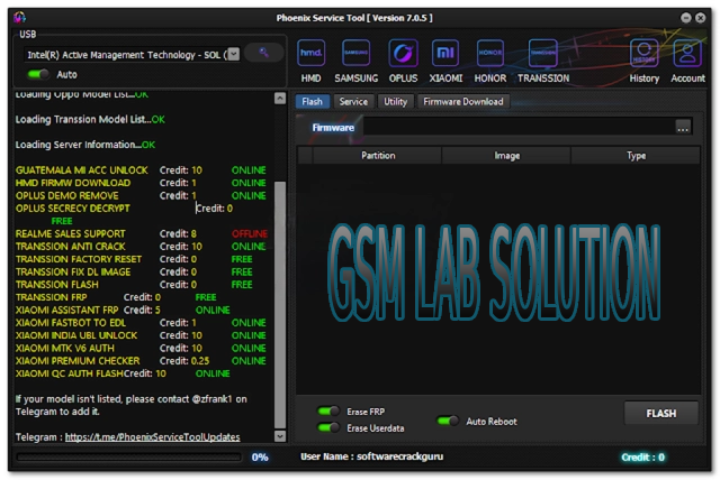
Description
Phoenix Service Tool V10.0.0 is a program that is developed to completely overthrow Android software defects and considerably upgrade smartphone service provision. Android devices frequently have issues in the area of factory reset protection (FRP) locks. Firmware errors, device boot loops, and users forgetting passwords could also happen to the phone.
These difficulties can limit the device performance and access to the device. Phoenix Service Tool features the advanced recovery modules that enable the technician to retrieve and restore damaged mobiles.
The wide and comprehensive function of Phoenix Service Tool is entering the required unlocking codes to unlock the device. With this function available, a technician can easily unlock different manufacturers’ screen locks like PIN, password, and pattern locks.
An important skill is being able to remove the FRP (Factory Reset Protection) lock. The technician has the knowledge to get around the Google account verification after a hard reset.
Phoenix Service Tool provides a field in the region where user can review critical device details such as firmware version, Android version, model number, and chipset information prior to any technical work to ensure accurate commands.
Phoenix Service Tool is not only useful generally, but it as well incorporates troubleshooting and maintenance aids, among others, to ensure quality of service offered.
In processing, version 10.0.0 provides us with the ability to have enhanced speed and stability of communication. Therefore, with these features, we may observe operational failures being minimized.
It’s a very lightweight design, which means it will not affect the operation of even the lowest power Windows systems.
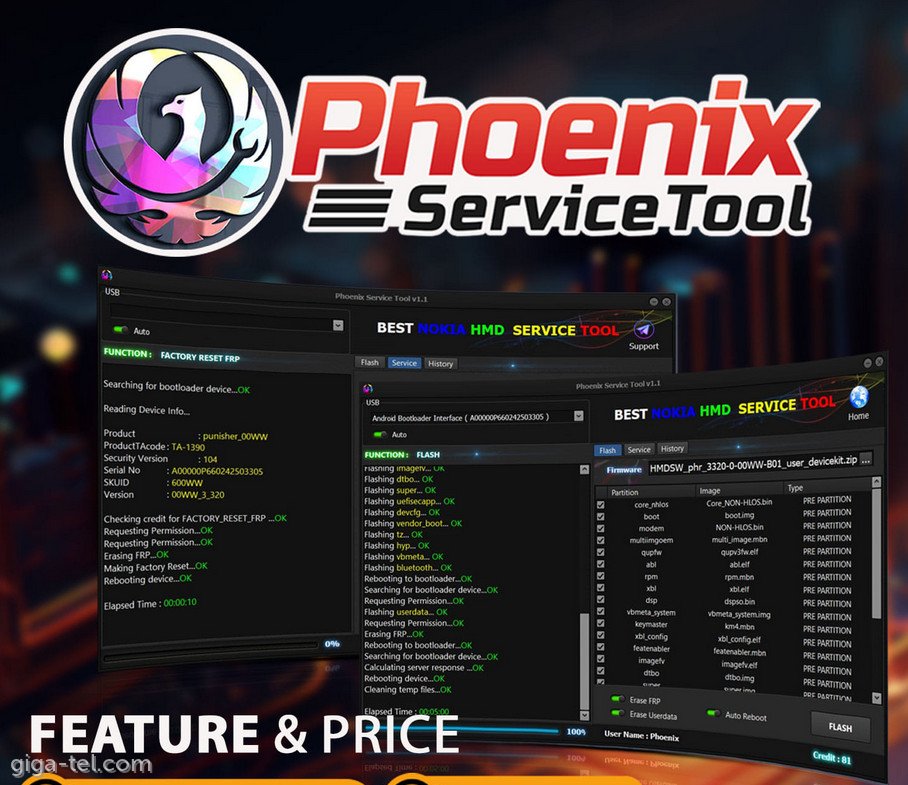
Key Features
Phoenix Service Tool V10.0.0, besides all, also has some enhanced features which can serve many of Android repair functions conveniently.
Device Unlocking
Disentangle valid screen keys, including PIN, password, and pattern locks.
FRP Removal
Bypassing factory reset protection on accommodating Android gadgets is another stunning feature.
Firmware Flashing
Repeat or install firmware to smartphones for which this is appropriate.
Multi-Brand Support
Compatible with smartphone manufacturers other than just one brand.
ADB and Fastboot Support
It includes ADB and fastboot communication.
Device Information Reader
Displays comprehensive specifications of the phone and the loaded firmware in one place.
Maintenance Utilities
These functions may assess the situation and implement the needed repairs.
Fast Processing Engine
Runs on stable and efficient processing platform its systems are optimized for.
User-Friendly Interface
A simplified one that is designed specifically for beginners with a high regard for professional user.
Improved Device Detection
Enhanced version 10.0 stabilizes this type of performance, including fast communication, reliability, and new tools.
How To Install Phoenix Service Tool V10.0.0
While the entire installation process for Phoenix Service Tool V10.0.0 is straightforward and quickly completed in a few attempts.
Step 1
Pick from an elite hydrographic training shop or mobile repair process of your choice to download an authentic installation package.
Step 2
Unzip or unrar the downloaded ZIP or WinRAR- or 7-Zip-extracted archive.
Step 3
Start the installation by running the setup file that will be shown in the right-hand corner of the desktop after extraction.
Step 4
Overcome the communication barrier by installing proper USB drivers and ADB drivers.
Step 5
Go to the .exe file, double-click on it, and start the installation and follow instructions to complete the setup with successful completion.
Step 6
Have the User Account Control (UAC) prompt you to click on “Yes” in order to run the software.
Step 7
USB Debugging should be switched ON on the Android smartphone, and the “Developer Options” section is now shown.
Step 8
Use a USB connector to connect the device to the server, and the technical operation will start now.
After the setup, Phoenix Service Tool V10.0.0 will be accessible for all tasks concerned with mobile servicing.
Download Link: HERE
Your File Password: Gsmlabsolution.com
File Version & Size: | 75.61 MB || V10.0.0 |
File type: compressed / Zip & RAR (Use 7-Zip or WINRAR to unzip the file)
Support OS: All Windows (32-64 Bit)
Virus Status: 100% Safe. Scanned By Avast Antivirus