Introduction
KRDT Utility Pro v1.5.0 is a convenient and task-saving Android utility created for specialists and garage masters alike, which will help mobile repair shops, GSM technicians, and advanced Android smartphone users in smartphone software repair, maintenance, and device unlocking and FRP removal.
Description
Advantages of KRDT Utility Pro: The software features an intuitive interface.
The focus of version 1.5.0 may be on instability and compatibility optimizations. Real-time logs of all the software operations provide direct information to help technicians fix errors promptly.
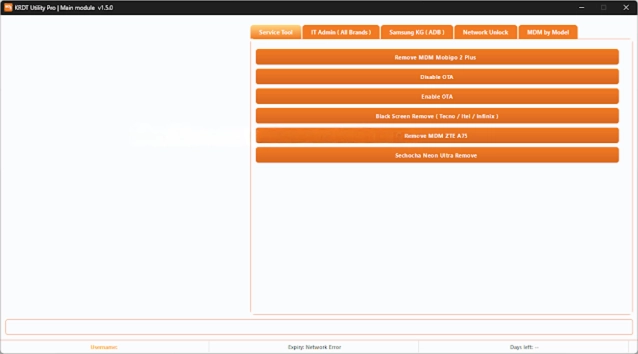
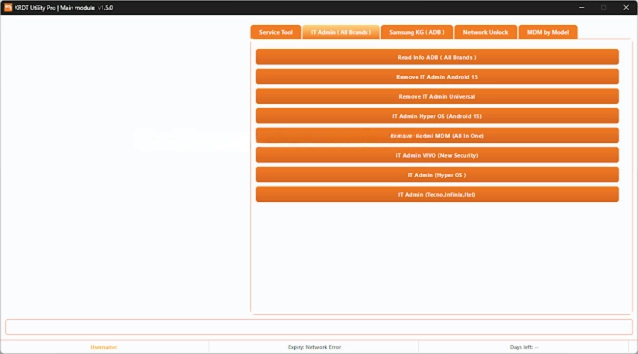
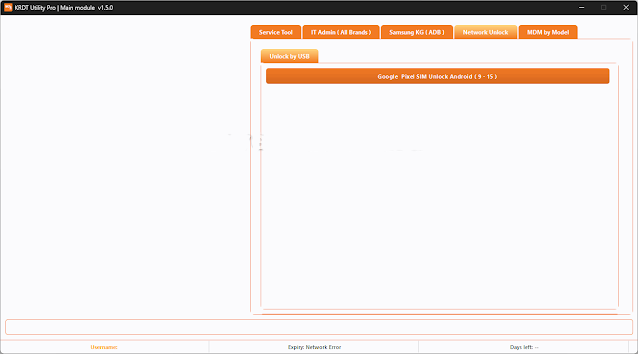
Key Features of KRDT Utility Pro v1.5.0
✔ FRP Lock Removal
Gets rid of the Google verification account on Android devices that are assigned to the supported models.
✔ Screen Lock Unlocking
Remove or bypass screen PIN codes, patterns, or passwords on devices without the need of the official firmware (device specific).
✔ ADB & Fastboot Tools
Has easy access to commands to resume and restart, as well as system commands.
✔ Automatic Device Detection
Auto-recognition of the device once it is connected, including the model and mode of connection.
✔ Soft Brick Repair
Easily restore boot loops, stranded logos, and minor problems within the system by software repair.
✔ Fast and Stable Performance
Faster working time speed and high reliability compared to previous versions.
✔ Live Process Logs
Monitor progress of work as well as monitor the potential issues taking place in real time.
✔ Regular Updates
A permanent feature of all newer versions is the continued updates and ability to upgrade them.
How to Install the KRDT Utility Pro v1.5.0
Step 1:
Download the Tool
Step 2: Extract the Package
Extract the provided zipped or war file with the help of any archiving software such as WinRAR or 7-Zip.
Step 3: Install Required Drivers
ADB & Fastboot Drivers
Samsung USB Driver
Qualcomm USB Driver
MTK USB VCOM Driver
Step 4: Run the Tool
After that, after all the devices have been connected, open the extracted folder and run KRDT Utility Pro.exe as administrator.
Step 5: Connect the Device
Then, connect the Android device to the PC using the USB cable that should be employed in ADB/Fastboot modes, or in any mode that is required for the service.
Step 6: Select the Operation
Choose the operation you want, like FRP Remove, Unlock, Repair, etc.
Step 7: Start the Process
Press Start to begin the process.
Download Link: HERE
Your File Password: 123
File Version & Size: | 62.89 MB || v1.5.0 |
File type: compressed / Zip & RAR (Use 7zip or WINRAR to unzip File)
Support OS: All Windows (32-64 bit)
Virus Status: 100% Safe Scanned By Avast Antivirus