Introduction
The newest device generation of the Unlock Tool 2025.11.22.0 carries the name Unlock Tool 2025.11.22.0 and is the newest and most advanced version of the mobile servicing software trusted by technicians, engineering shops, and GSM professionals worldwide.
With its user-friendly interface and constantly expanding features, the new version ensures you can handle complex operations with ease. With this capability, it is able to diagnose and fix most problems on a device.
Description
The 2025.11.22.0 version of Unlock Tool is a professional one that specializes in the ultimate solution for multi-brand mobile repair.
If you find yourself blocked off Google FRP, flashing firmware, unlocking the screen, or repairing the partition, the unlock tool has everything you need in one package. The new update brought in the aforementioned improvements in terms of stability and security, as well as the compatibility for even the IMEI repair or the EDL functions.
Unlock Tool 2025.11.22.0 strives to operate effectively even on PCs of the lowest specs; hence, it is suitable for rookies. It is powerful enough to manage high-end systems used by experienced professionals in smartphones. Together with all this, it runs faster on the system and saves time for the user.
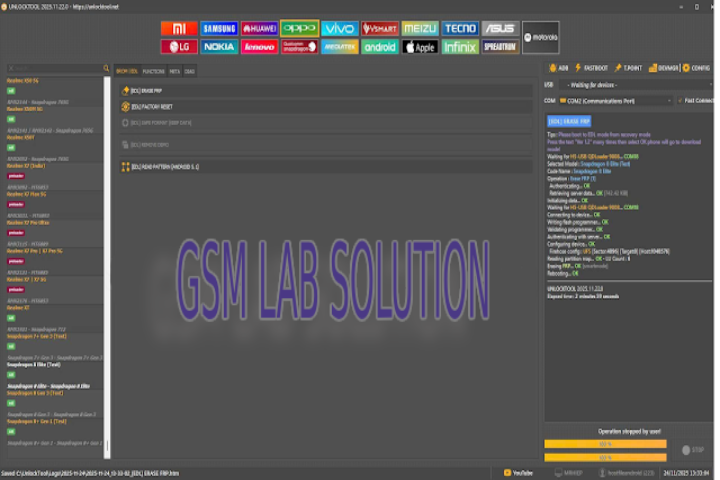
Key Features of Unlock Tool 2025.11.22.0
1. Updated FRP Bypass Support
On new and old Android 14 and Android 13 device models, unlock Google FRP using fast and guaranteed techniques. How does it work on almost all phones?
2. Enhanced Flashing & Firmware Operations
Flash stock ROM, custom ROM, and recovery files effortlessly. This tool accepts fastboot mode, EDL mode, recovery mode flashing, and more.
3. Screen Lock Removal
Screen lock types like pattern lock, PIN, passwords, face lock, and fingerprint lock can be removed without data loss in selected models.
4. Qualcomm and MediaTek Advanced Functions
The box has EDL repair, bootloader repair, partitions, and many more that are found.
5. Xiaomi Special Features
Mi Account Bypass
Xiaomi Fastboot to EDL
Xiaomi Bootloader Unlock Helper
Anti-Rollback Fix
6. Samsung Tools
The tool applies even with the most recent security patches available on the market.
7. Oppo and Vivo Features
Inclusion of Metaport and EDL mode MTP flashing, as well as removal of demo mode and even advanced unlock function, act as bonus features of these modalities.
8. Stable UI & Improved Speed
A highly efficient process where technicians have to work on a number of devices and ultimately find mangoes to be much of a delay that would be encountered in their work.
9. Periodic Online Updates
Patches and new models are continuously added without the necessity of downloading a large file.
How to Install Unlock Tool 2025.11.22.0
Follow these simple steps to install and run the tool on your Windows PC:
Step 1—Extract the ZIP File
Right-click on the .zip file
→ Select the Extract Here.
Step 2—Run the Installer
Open the folder and choose 2X on it:
.exe
Step 3—Install Required Drivers
Download the latest ADB & Fastboot, Qualcomm, and MediaTek drivers that are on the Internet and try to install them to the computer system.
Step 4—Launch Unlock Tool
Your desktop shortcut should appear for the tool.
Step 5—Log in to Your Account
You require your personal credentials to turn the account on.
Step 6—Start Using
You have to select your device brand and the operation that you want to perform and plug in your phone to start the process to proceed.
Download Link: HERE
Your File Password: 123
File Version & Size: | 396.47 MB || V2025.11.22.0 |
File type: compressed / Zip & RAR (Use 7zip or WINRAR to unzip File)
Support OS: All Windows (32-64 bit)
Virus Status: 100% Safe Scanned By Avast Antivirus