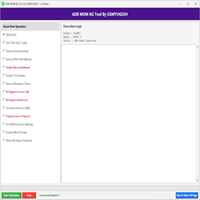
Android Multi Tool v1.3.3.9 Android Multi Tool v1.3.3.9
Android Multi Tool

Introduction
Android Multi Tool v1.3.3.9 is renowned for its effectiveness and wide utility in Android platform tasks like providing solutions for removing screen patterns, unlocking bindings, passing the Factory Reset Protection (FRP), checking the device condition, and doing mandatory overhead. No matter if you are a skilled worker, phone repair specialist, or just another user looking for a quick and smooth solution to manage and fix an Android phone, the utility provides a convenient yet powerful interface.
Description
Unlike other platforms that offer many device management types, this one allows you to exchange the operations with some clicks. This program backs numerous Android trademarks and their versions, e.g., Samsung, Xiaomi, Vivo, Oppo, Realme, Lenovo, HTC, and Motorola.
The application works in ADB as well as Fastboot modes to troubleshoot and rectify all problems that fall under software issues. In terms of smartphone unlocking and bypassing Google account verification (FRP), Android Multi Tool v1.3.3.9 is one perfect example, as it is simple and user-friendly, unlike others requiring tedious and complex commands.
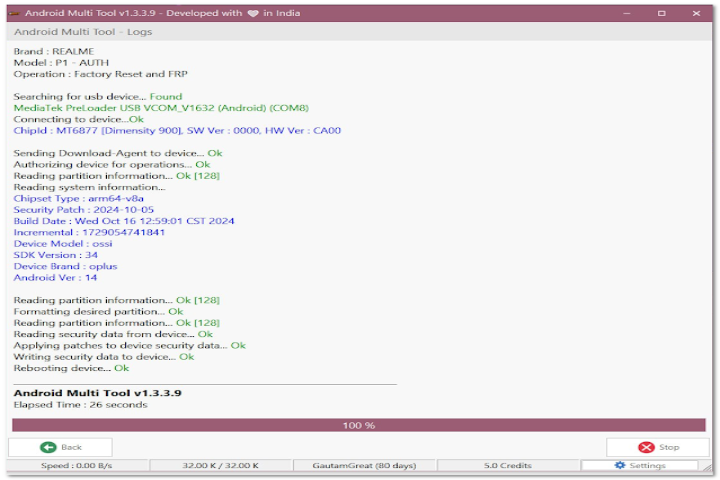
Key Features of Android Multi Tool v1.3.3.9
1. Pattern Unlock / Password Reset
Through the functionality of the software, users can skip the pattern, PIN, and password pattern authentication, which they forget within seconds. Consequently, the situation provides an edge when the clients find it hard to access the lock screen.
2. FRP Bypass Options
With the use of Android Multi Tool v1.3.3.9, it is quite straightforward to do away with or get over the Google Factory Reset Protection on the supported devices lacking the hard trick procedures.
3. ADB Device Management
Through an easy-to-manage platform, users have the luxury of finding out the device condition, configuring the device intakes, and even executing a plethora of everyday ADB commands.
4. Fastboot Mode Functions
Order this application, which provides an opportunity for the device to reboot, unlock, and flash-related Fastboot commands, for Fastboot operations on supported devices.
5. Hard Reset & Data Wipe
Using just a single click, anyone can do a factory reset or clean out the device RAM. This deletes all data instead of just deleting the installed apps in case this solution doesn’t solve the problem.
6. Reboot Options
You get to enjoy the ease of rebooting modes, which are system reboot, recovery mode, and bootloader mode.
How to Install Android Multi Tool v1.3.3.9
Step 1: Download the Software
Step 2: Extract the ZIP File
Subsequently, find the ZIP file that was just beamed to you and quickly unzip it using WinRAR or 7-Zip. Upon extracting the contents, there shall appear a file containing the software’s icon.
Step 3: Open the Application
After you have located the. eye file within the unzipped folder, the next step is opening the program by right-clicking on the. eye file and selecting Run as administrator. In general, installations shouldn’t be expected since the application should open automatically after it has been executed.
Step 4: Install Drivers (If Needed)
Correspondingly, if your computer does not automatically identify the phone, you will need to download and install the ADB drivers. The majority of the devices will start working immediately upon the successful installation of the drivers.
Step 5: Connect Your Android Device
To this effect, an appropriate USB cable is mandatory to connect the phone to the PC. When using ADB mode, do not forget to enable USB debugging, which is usually done in the developer settings.
Step 6: Start Using the Tool
From the menu, make a choice of your preferred immediate result, whether that is FRP bypassing, unlocking, rebooting, or reading device information.
Download Link: HERE
Your File Password: 123
File Version & Size: | 19.47 MB || V1.3.3.9 |
File type: compressed / Zip & RAR (Use 7zip or WINRAR to unzip File)
Support OS: All Windows (32-64 bit)
Virus Status: 100% Safe Scanned By Avast Antivirus