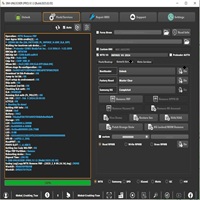
Android Win Tool v1.8.6 Latest Version
Android Win Tool

Introduction
Android Win Tool v1.8.6 is a modern utility with a small size that is focused on GSM professionals, repair users, and technicians who need an effective tool for unlocking, flashing, FRP reset, and device recovery. The application is a rapid tool that fits every user thanks to its easy-to-use interface and strong compatibility. No matter if you happen to be coming across FRP-locked phones, any software issues, or boot problems, the ultimate convenience lies in the proficient working with Android Win Tool v1.8.6. Not only does it have specialized handles in it but also the update to the algorithm improves the safety of the work and professionalism.
Description
In this case, Android Win Tool v1.8.6 is a fresh all-in-one Android servicing tool created for Windows whose tasks performed include FRP bypassing, factory resetting, side loading, fast boot operation, recovery flashing, and ADB-based operations. Software is an excellent option for people who desire a simple yet super-functional tool that can perform complex functionalities even for users with limited technical knowledge and skills.
This updated model comes with greatly improved device detection and faster processing speed for Qualcomm, MediaTek, and other chipsets. This easy-to-use platform offers a range of capabilities through a single interface, making your desktop software perform without any technical hassles. The Android Win Tool v1.8.6 has become an industry standard, which is due to the strong performance, no bloat, and ability to handle the tasks that are usually required to use the paid apps.
Key Features of Android win tool v1.8.6
- The ability to bypass the FRP lock on multiple Android phones by applying innovative methods is one of the major features of Android Win Tool v1.8.6.
- This tool has ADB and fastboot support, which allows, through streamlined commands, tasks such as rebooting, flashing, and unlocking.
- This update is bundled with new sideload options that are perfect for the installation or delivery of software updates and over-bridged firmware problems.
- The end users are now able to perform factory resets and wiping operations right from the tool with no setbacks related to recovery options.
- Device recognition is much quicker today, thus enabling communication with smartphones in a quicker and more stable way.
- It is the toolkit that bundles up, analyzes, and troubleshoots the issues coming from model chipsets such as Qualcomm, MediaTek (MTK), and others.
Read Also: Android Win Tool v1.8.4
Read Also: Android Win Tool v1.8.3
How to Install Android Win Tool v1.8.6.
- Extract (unzip) the files on the desktop with the help of WinRAR or 7-Zip.
- Find the folder you just extracted now, and you have the choice to go for the setup file or the executable file.
- If an alert from the Windows Defender comes up, simply click on the “More Info” link and then select “Run Anyway” to proceed with the installation of the GSM tool, as unsigned software is a norm in the tool world.
- The tool may open up directly, with no need for installation, on some computer systems.
- Arm yourself with your USB connector that you used to connect your mobile phone to your computer. You should also make sure that you have turned on the USB debugging option, if required. After that, you can start using the tool according to your role in the repair process.
Download Link: HERE
Your File Password: 123
File Version & Size: |
File type: compressed / Zip & RAR (Use 7zip or WINRAR to unzip File)
Support OS: All Windows (32-64 bit)
Virus Status: 100% Safe Scanned By Avast Antivirus