Introduction
With the hectic mobile repair industry, technicians are in need of elite and robust gadgets to solve different phone problems. One of the leaders in this field is the development of EFT Pro Dongle, and the top is EFT Pro Dongle V5.4.5, featuring lots of developments, rejuvenation, and compatibility with more phones.
The 5.4.5 version of the tool makes an improvement in the area of devices with the latest Android OS.
Overview
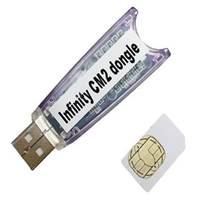
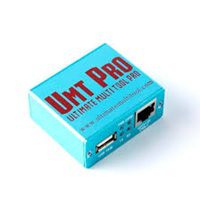
EFT Pro Dongle communicates with the Android operating system using protocols such as ADB and Fastboot, allowing direct interaction between the computer and the device to be flashed. This empowers users, offering them access to such complicated processes as repairing the system, unlocking, and flashing.
Description
EFT Pro 5.4.5 allows you to deal with numerous software-related issues of Android smartphones in a comprehensive way. One of the tool’s leading tasks to perform a firmware flash is that it has formatted programming instructions that give users the ability to install or reinstall the OS on the device. This step restores your device to its original working mode along with the resuscitation of common software issues.
Adding a hardware dongle makes its security unbreakable.
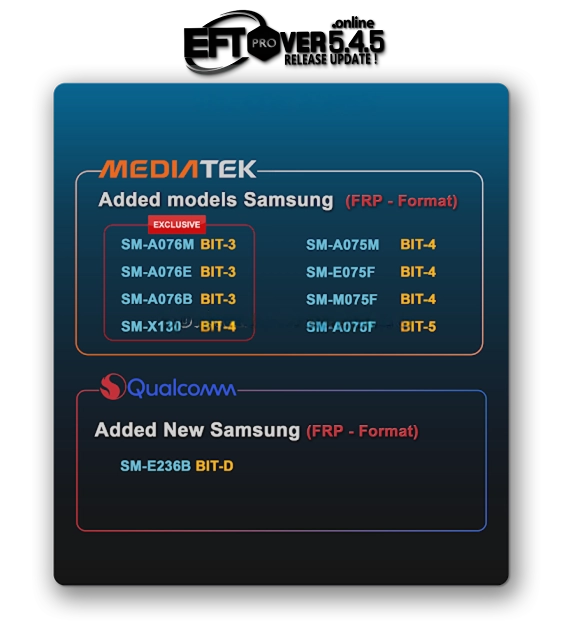
Key Features of EFT Pro Dongle V5.4.5
EFT Pro Dongle V5.4.5 provides modern features for users who are looking for a solution for professional mobile repair.
Firmware Flashing
This shall include installing or reinstalling the software for fixing issues correlated to it and reactivating it to its previous form.
FRP Removal
Support devices by decoding the Factory Reset Protection of them.
Device Unlocking
Removal of patterns, PINs, and those how the phone is locked from can help users avoid being in a state of “lost data
Multi-Brand Support
Several manufacturers make up this list of supported devices.
ADB and Fastboot Support
For the sake of reliable communication, we will utilize ADB and Fast boot protocols.
IMEI Repair (Supported Devices)
The representative can either fix or back up the IMEI data.
Secure Dongle Activation
The hardware dongle guarantees maximum security and acknowledged use.
User-Friendly Interface
How to Install EFT Pro Dongle V5.4.5
Step 1:
Ambitious? Download the EFT Pro Dongle V5.4.5 setup from a highly rated or trustworthy site.
Step 2:
May I ask you to unzip the downloaded zip or war with WinRAR or 7-Zip?
Step 3:
Subsequently, go to the folder after you have unzipped the files.
Step 4:
Pay attention to the installation details and follow them in order.
Step 5:
The required USB drivers as well as ADB drivers will be essential USB and ADB drivers(omit) for proper operation.
Step 6:
Plug the fairy into the USB port and have the dongle properly going on.
Step 7:
Own this program and run it as an administrator.
Step 8:
Connect the smartphone handset using the USB wiring connector to use the program and verify it works right.
Download Link: HERE
Your File Password: Gsmlabsolution.com
File Version & Size: | 95.09 MB || V5.4.5 |
File type: compressed / Zip & RAR (Use 7-Zip or WINRAR to unzip the file)
Support OS: All Windows (32-64 Bit)
Virus Status: 100% Safe. Scanned By Avast Antivirus