Cheetah Tool Pro v2026.05.02.177.1 Free Download
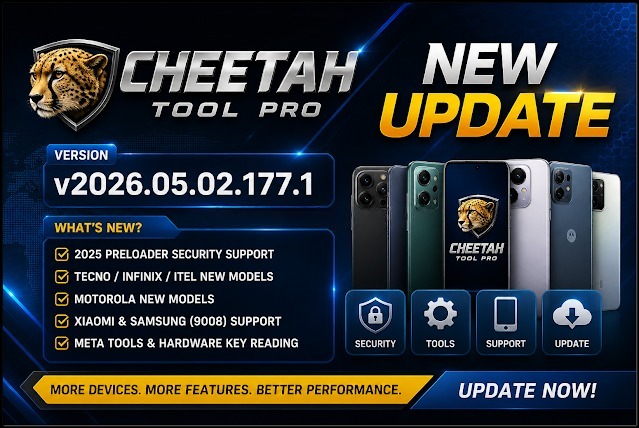
Cheetah Tool Pro v2026.05.02.177.1

Introduction
Today, the field of mobile phone repair is progressing in leaps and bounds. Therefore, technicians have to have high-tech and long-lasting tools in their arsenal to fix all operational issues in phones. These range from errors due to firmware overwriting to security patch removal; therefore, a complete solution is necessary for complex services. Besides the enhanced functionality, clerical and operational compatibility have undergone a huge modification, and the new mobile repair tool is likely to offer a wide range of features.
It can work on many brands and their chipsets, so it would be a suitable solution for all users, no matter what experience level.
With the introduction of v2026.05.02.177.1, this tool is now able to handle more devices, process operations up to a hundred times faster, and has a higher uptime capability.
In the upcoming blog post, we will touch on the introduction, explanation, overview, main characteristics, installation process, and minimum system requirements of the newest version, Cheetah Tool Pro 2026.05.02.177.1.
Overview
Intended for Android repair purposes, Cheetah Tool Pro represents a comprehensive set of software utilities to help technicians make their work less complicated. In that regard, the application creates a unified system where a project with automatic repair execution is being carried out.
The tool unveils the inner workings of a phone to reveal the software applications that run it, such as Android Debug Bridge (ADB) and fast boot. Just as you speak with a person to use proper commands, these methods enable communication directly with Android’s operating system instead of relying on the interface and limited commands that the interface offers.
A preponderant element of Cheetah Tool Pro utility is its integration for creating a multi-brand platform. It has legislated a wide range of Android phones from all manufacturers, thus having the ability to work with different types of phone models.
The update 2026.05.02.177.1, in the first place, boosts the performance, refines the device detection ability, and decreases the probability of operational errors. It is shifts like these that make the device overall more predictable in operation and more effective for commercial use.
Description
When these devices have software problems such as endless rebooting, OS crashing, corruption, or even a security loop.
Cheetah Tool Pro incorporates a utility set that allows repairers to identify the faults to repair them in the best possible way.
Among a list of ordering features provided by the provider is device unlocking. This lets users erase lock patterns such as screen locks, PINs, and passwords.
Another important feature is firmware flashing in Cheetah Tool Pro. The customer can either fix the software himself or let the specialists solve the situation. The firmware flashing process can correct such problems as boot loops, system crashes, and firmware corruption.
On top of that, the tool equips itself with device information reading, which can do the job for technicians to explore such valuable details as the model, firmware version, and the status of the system lot sooner before conducting any activity.
Cheetah Tool Pro, other than these, has much more to do, as in on the data level, it does other things as well that can make a broken phone into a normally working phone. That’s the expertise of Cheetah Tool Pro to correct a system to a working device.
The software is, above all else, efficient in making the data from the device flow to the computer at a swift rate and is industrious in losing less than other competitors. The device’s lean structure guarantees competent performance on most Windows-equipped systems.
Key Features of Cheetah Tool Pro v2026.05.02.177.1
Cheetah Tool Pro v2026.05.02.177.1 boasts a vast array of state-of-the-art technologies for professional phone repair engineers.
Device Unlocking
Take patterns, PINs, or screen locks.
FRP Removal
Make supported phones back to the factory reset protection.
Firmware Flashing
Install or reinstall firmware to repair software bugs.
Multi-Brand Support
Compatible with a broad Android phone market.
ADB and fastboot support
It uses both ADB and fast boot for a more reliable link.
Device Information Reader
Information on every operation is on screen before starting.
Advanced Repair Functions
With additional adjustment of the system and shape recovery.
Fast Processing Engine
It’s a tool that you can use to make a repair job quick and efficient.
User-Friendly Interface
Great for users of different ability levels—ranging from novices to experienced users.
How to Install
Step 1:
Land the Cheetah Tool Pro v2026.05.02.177.1 on the page of a trusted environment for mobile repairers.
Step 2:
Use Windar or 7-Zip to unpack the compressed ZIP file or RAR file you downloaded into the folder.
Step 3:
Go to the folder you unzipped and try to find the installation executable.
Step 4:
Ensure that the necessary USB and ADB drivers that go with the tool work optimally.
Step 5:
Run the installer and follow the installation instructions on your screen.
Step 6:
Ensure that you are the administrator before starting.
Step 7:
Activate USB debugging on the device in the Settings app under Developer Options.
Step 8:
Plug the phone into the computer using a USB cable and start using the service.
It was a sort of “top-down” approach, so fairly comprehensive and competence-based. After the first-round operations henceforth, the tool is operational.
Download Link: HERE
Your File Password: Gsmlabsolution.com
File Version & Size: | 118.73 MB || v2026.05.02.177.1 |
File type: compressed / Zip & RAR (Use 7-Zip or WINRAR to unzip the file)
Support OS: All Windows (32-64 Bit)
Virus Status: 100% Safe. Scanned By Avast Antivirus