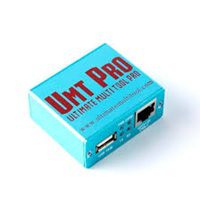
DFT PRO Update v6.6.0 Latest Version
DFT PRO Update

Introduction
On the one hand, in the changing world of mobile management software, DFT PRO Tool sustains its position as a leading product with its innovative and regular updates. With the launch of DFT PRO Update v6.6.0, the foundation stone is laid for this unprecedented progression with its new additional features, increased technical compatibility, and an extended support of a number of brands. If you are an enthusiast of the latest Android phones or a GSM technician who works with refurbished lower-tech phones, tens of services will be quicker, safer, and more efficient when you use this update. The industry’s best options for mobile servicing, from rendering handsets to flashing and repairing, are available through DFT PRO.

Description
The newest release for this device will be the v6.6.0 version, which belongs to the popular DFT PRO suite (Device Flash Tool) developed by the DFT team. One highly professional utility software that allows repairs, unlocking, flashing, and service work for a wide variety of models and brands of Android tablets as well as smartphones. The interface works well with devices from firms like Samsung, Xiaomi, Vivo, Infinis, Réaume, Oppo, Huawei, HTC, Tecno, and many more. Consequently, Tecno Mobile has managed to come up with a mobile technician’s dream too.
Emphasis is placed on stability, rapidity, as well as deeper chipset-level integration. Thus, their algorithms are upgraded periodically in order to get correct results during (omit)procedures like device detection, loading, and opening. In the case of security bypass procedures, the DFT PRO v6.6.0 has enabled new methods based on MTK and Qualcomm chipsets that decrease the chances of errors and increase the likelihood of success, even on the most recent firmware.
The modifications made consist of the compatibility with Windows 10 and 11 (64-bit), the automatic adoption of the drivers, and the bug fixing of the previous versions. It does not matter the type of FRP removal, IMEI repair, or the bootloader uni-locking; this tool is supportive; you will learn everything within the intuitive interface.
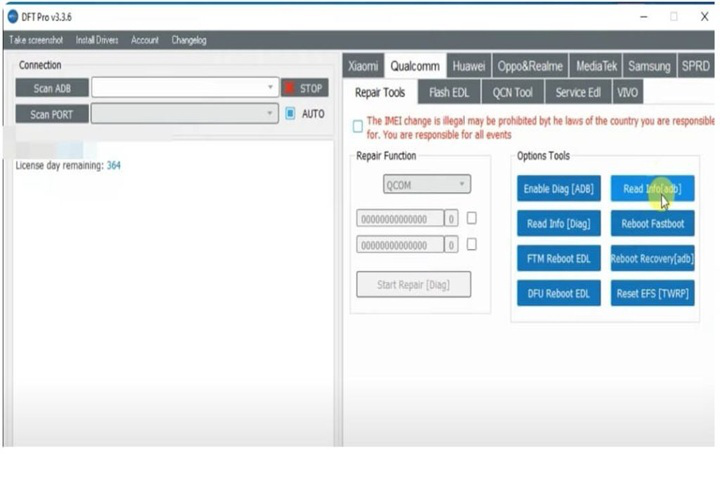
Key Features of DFT PRO 6.6.0
Extended MTK Support
Improved incorporate new MediaTek chip and a renewed secure boot regularly, which guarantees quick and clean flashing as well as unlocking of the newest phones based on Android.
Qualcomm Improvements
Extensive upgrades of the debug connection as commands “fast boot” and “EDL” mode were introduced — perfect same function realization in maintaining, and more importantly, speeding some repair processes.
SPD (Spreadtrum/Uniloc) Enhancements
This version adds more SPD chipsets to the compatibility list, so all critical sessions, like read/write operations, can run fast, smoothly, and safely.
FRP Trying Trendiness
The revision of the FRP removal feature and the introduction of the powerful new one that now supports more Android versions (even Android 14) has been accomplished.
IMEI Repair & Backup
This enhances the IMEI repair usefulness, leading to (omit)greater preservation of identity through backup options, even after the phone is fixed and consequently serviced.
Flashing & Firmware Update
This engine has an optimized speed for flash memory, along with new format files of firmware and the entire process of safe flashing.
Read & Write Partitions
Partitions are now easily readable and written by different modes, which is the ideal option in all partition design and custom ROMs.
Automatic Driver Detection
DFT PRO v6.6.0 entitled automatically to get your software up-to-date by installing necessary USB drivers also provided in mere minutes. Thus, both your time and connection will be improved immediately.
Improved GUI & Stability
Processing the human-computer interface for smoother interaction by the user has been reorganized. Indeed, there is better responsiveness and real-time extension monitoring enabled.
Regular Updates & Support
Frequent renovation is a statement of the fact that users will be informed of every emerging issue relating to the handset’s compatibility, security flaws, and patches.
How to Install and Use DFT PRO v6.6.0
In the end, if you want to be able to work with those great capabilities and results, make sure to follow the guide to the best you can, and learn how to install and make(omit) effective use of DFT PRO V6.6.0.
Download the Latest Version
Go to the official website of DFT and GSM Crack Guru as it is a trustworthy source and get the official setup file of DFT PRO v6.6.0.
Extract the Package
So, when it finishes, click on that r-r-r-r-r-r-r file and extract them to the desktop using Windar or 7-Zip.
Install Required Drivers
To start the software, check that the appropriate MTK, Qualcomm, and SPD USB drivers are installed on your system. These are in “Driver” folder at the location specified for the tool.
Run DFT PRO as administrator
Now, double-click on the new folder that has appeared where all files got extracted. Then, right-click “defeater.exe” among other listed files and select “Run as Administrator”.
Login or Activate Tool
Plug your DFT PRO account password (as required) or activate the instrument via the dongle or software activation code that you have received.
Connect Your Device
Power the phone off and link it by means of a USB cable in a requisite mode (MTK prelate, Qualcomm EDL, or fast boot), which completely depends on what kind of phone it is.
Choose Desired Operation
Move the mouse pointer to the appropriate button on the program panel and select the function you want to perform — eliminator protection, firmware update, IMEI repairing,, etc.
Start the Process
Press the Start or Flash or Execute — any of the tabs. It should be clicked while the process is ongoing. After that, one can see the first successful notification.
Reboot and Verify
Power off the smartphone (omit)first and restart it to verify — unlocking, re flashing, or repairing of the unit.
Download Link : HERE
Your File Password : 123
File Version & Size : | V6.6.0 | 58.12 |
File type : compressed / Zip & RAR (Use 7zip or WINRAR to unzip File)
Support OS : All Windows (32-64Bit)
Virus Status : 100% Safe Scanned By Avast Antivirus