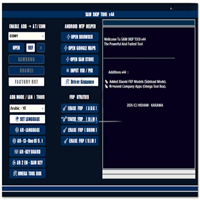
SamFw FRP Tool V5.1 Latest Version Free Download
SamFw FRP Tool

Introduction
The latest version is much more stable and supports new security patches. This tool is a favorite item among mobile repair professionals who handle FRP-locked Samsung phones regularly.
Description
SamFw FRP Tool V5.1 is a straightforward-to-use, free-of-charge Windows tool built to bypass Read also: The risk is particularly high for La authors. Factory Reset Protection (FRP) locks on the lately released Samsung, Xiaomi, LG, and Vivo telephones, among others. It not only supports the most recent FRP bypassing of 2021, but it also targets Samsung as its main competitor with the help of ADB-based methods, emergency dialer exploits, and updated MTP functions or features.
Key features of SamFw FRP Tool V5.1
1. One-Click Samsung FRP Bypass
Instantly/frugally/without breaking your wallet, bypass/reset/remove the FRP lock on all Samsung-supported Android devices via ADB, MTP, or 911 (emergency call) options.
2. Adaptive with Currently Enacted Software Versions
The designer supports the Android writing application, Mac OS, Windows OS, cellular, and cloud storage.
3. ADB Activation
Automatically enable ADB access for your device by using a hidden MTP-related “browser” feature.
4. Samsung Special Functions
– Soft Reset
– To change a screen lock pattern
– To change CSC
– Restart the device to download, recovery, and fastboot modes
– Disable/enable Knox
5. Xiaomi & LG Schooldays
Xiaomi and LG models have FRP, ADB, and test-point activation.
6. Vivo/OPPO Special Features
Using FRP ADB operation, driver installation and initialization of a device are done on the SAMF version.
7. Both Log View & Device Auto Detection
Logs can be found, and users are provided with faster access to the devices that are connected in MTP operations, ADB, or Fastboot mode.
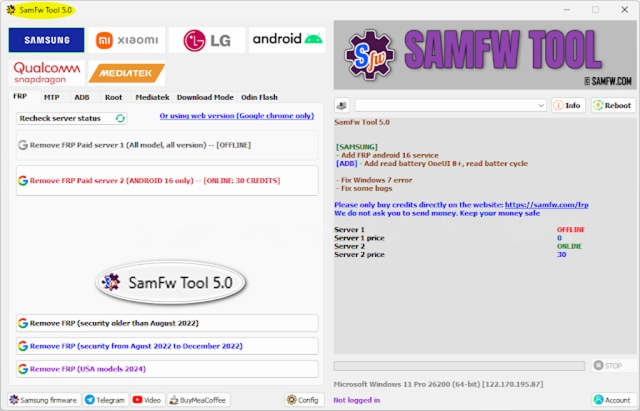
How To Install
1. Download the Tool
2. Extract the ZIP File
3. Right-click on the downloaded file and choose 7-Zip or Windar → Extract to help to unzip the files.
4. Observe a live AM class of the argumentation in ARMENTAL, where two frogmen
Open the extracted folder and the Admin Folder → double-click the SamFw FRP
Tool Shell to launch the UI.
5. Connect your device. Make sure your device is in MTP mode (normal, powered-up screen) and plug it into your PC using the USB.
6. Click on Remove FRP and wait, as the tool will quickly take you through the whole FRP bypass process.
Download Link: HERE
Your File Password: 123
File Version & Size: | 107.70 MB || V5.1 |
File type: compressed / Zip & RAR (Use 7zip or WINRAR to unzip File)
Support OS: All Windows (32-64 bit)
Virus Status: 100% Safe Scanned By Avast Antivirus