Introduction
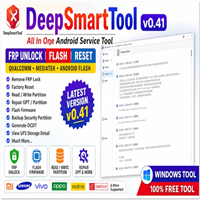
KS Tool 4.3 is a cost-effective and lightweight tool developed for Android experts, repair stores, and GSM players in the areas where Android devices are in use or service. The utility embraces the dogma of narrowing down obscure functions of the Android system into FRP bypass, flashing, IMEI unlocking, repair, or ADB-based operations. With its revamped accuracy, operational speed, and compatibility with various devices, KS Tool 4.3 ranks among the most favored lightly used software by both amateur users and the most seasoned technologists. Samsung, Xiaomi, Vivo, Oppo, and more of the key Android brands are sorted through swiftly and resourcefully with this all-in-one solution, which does not necessarily entail professional equipment or interfaces.
KS Tool 4.3 ensures that glitches are minimized in work and that important tasks are carried out efficiently and accurately. Consequently, service center productivity is boosted.
Description
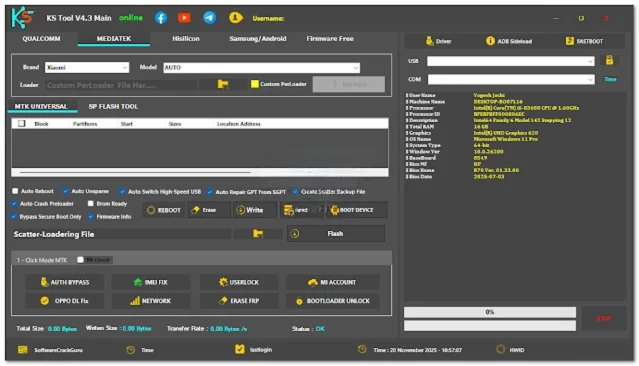
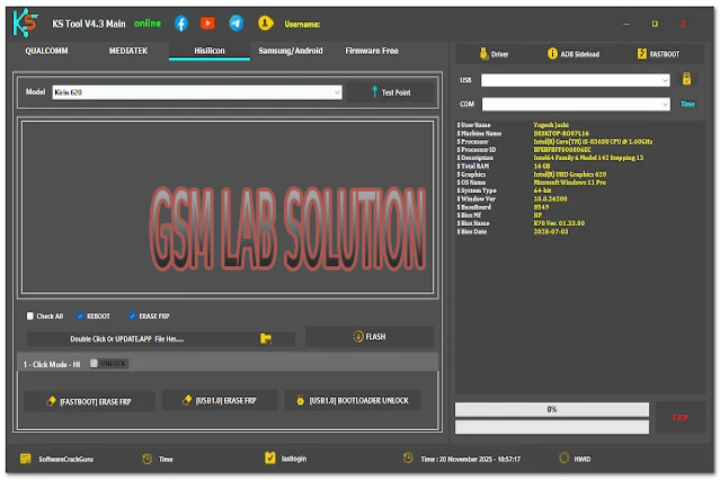
KS Tool 4.3 is an app running the everyday general-purpose diagnostics of mobile software issues with a no-hassle approach. It is designed to be widely useful and supportive of other basic processing units, such as Qualcomm, MediaTek, Uniloc, or Kirin. The functionality is far better with many improvements on ADB/Fastboot, advanced bypass scenarios, and recognition of new versions of Android.
The tool becomes more intelligent, rendering effortless device detection, seamless running of tasks, and mistakes in flashing or unlocking procedures. This ensures the user does not experience any inconvenience while using the service. With the simple and clear user interface, the technician is able to select the requested service without any misunderstanding.
Moreover, KS Tool 4.3 includes a set of one-click repair operations at the top, which saves a lot of time in removing errors on the device. These cover such critical principles as FRP lock, few Android smartphone and tablet bootloader unlocking, original factory reset, setting it up in demo mode, and several others.
Technicians love the boost they get in efficiency and the help they get in device safety and security; that is, you can get support in case they do not download and address the problem.
Key Features of KS Tool 4.3
1. One-Click FRP Bypass
Users of KS Tool 4.3 are now able to bypass FRP with only a click without needing to involve complex procedures.
2. ADB & Fastboot Advanced Functions
With this module, users get access to such options as device rebooting, unlocking the bootloader, data wiping, bypassing pattern locks (through the ADB procedure), and finally, performing a wide range of diagnostic actions.
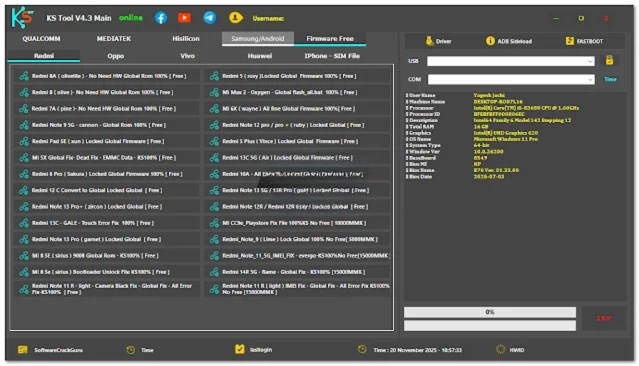
3. Multi-Brand Support
Practically an all-brands solution, including popular ones like Samsung, Xiaomi, Vivo, Oppo, Realme, Infinix, Tecno, Motorola, Nokia, and many others.
4. Qualcomm & MediaTek Operations
This kit allows you to carry out easy tasks like performing a factory reset and providing recovery help, as well as solving screen issues on other devices, including those using Qualcomm and MTK.
5. Remove Demo Mode / Test Mode
Can be used to clear the demo mode on showroom units or any devices intended for testing.
6. Improved Device Detection
KS Tool 4.3 ensures that connected devices are recognized promptly, which in turn reduces the need for manual power and makes diagnostics more precise.
7. Lightweight & Fast Performance
You need not worry about storage or end performance of your end, as the software reads specifically for low- to mid-end PCs, ensuring smooth operation all the same.
8. No Need for a Box or Dongle
KS Tool 4.3 is entirely a software program and so does not demand any activation or hardware needed for its operations.
How to Install KS Tool 4.3
Here are the steps to follow in order to have KS Tool 4.3 installed on your Windows computer:
Step 1: Download the Tool
Download the most recent version of KS Tool 4.3 software from an official and approved tech media outlet specializing in GSM, such as GSM Lab Solution.
Step 2: Extract the ZIP File
Download and right-click on the ZIP file using the right button of your mouse. Choose the installation of the ZIP file with either WinRAR or 7-Zip.
Step 3: Disable Antivirus Temporarily
Windows Defender might block the program because application tools often modify the system permissions at a system level. Be sure to have antivirus protection.
Step 4: Open the Installer or EXE File
In the extracted folder, use the mouse track to start with the ‘Run as Administrator’ option. Select the .exe file for this functionality.
Step 5: Complete Installation
Just follow the directions coming up on the screen.
Step 6: Launch the Tool
Open the software and link the device that needs servicing with the USB cable. The application program will automatically identify which device it is.
Download Link: HERE
Your File Password: 123
File Version & Size: | V4.3 | | 1.0 GB |
File type: compressed / Zip & RAR (Use 7zip or WINRAR to unzip File)
Support OS: All Windows (32-64 bit)
Virus Status: 100% Safe Scanned By Avast Antivirus