Introduction
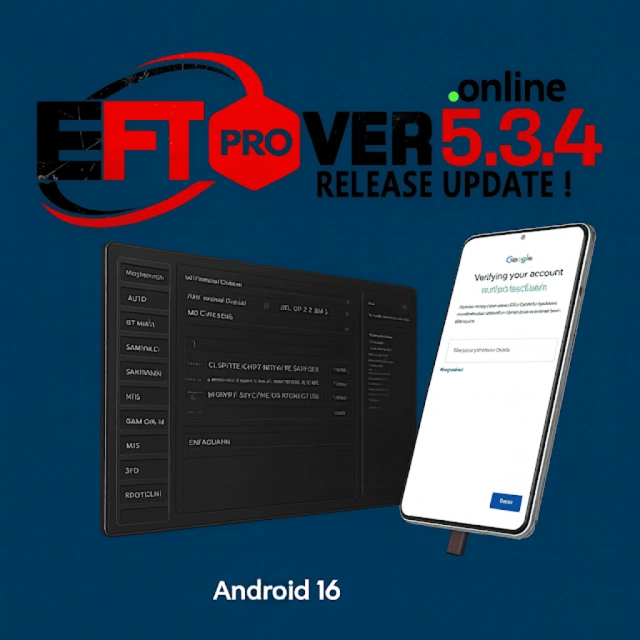
The EFT Pro Dongle V5.3.4 for Android mobiles, exclusively servicing, flashing, unlocking, and FRP bypass tasks, is the latest update in this field. This update also brings more functional new features, enhanced performance, and expanded model support for this tool, whether you are a technician or a GSM expert. The Pro Dongle V5.3.4 gives you fast, safe, and reliable device maintenance, no matter which Android manufacturer you are repairing.
The introduction of the EFT Pro interface has raised the standard of control, as it adds advanced flashing capabilities and improved smartphone compatibility. With each update, EFT Pro is continuously evolving and leads the industry in mobile services. The 5.3.4 version shows this, too.
Description
EFT Pro Dongle V5.3.4 is another innovative mobile solution tool that is meant to bring full control of Android devices to the professionals. It offers services like IMEI repair if needed, legal removal of FRP, and various types of work like flashing firmware and unblocking network problems.
The update, EFT, in this version, has been mostly on speed, which includes stability and model support. The newest revision will improve the THC server communication and ADB/Fastboot operations besides spreading different Android software patch solutions. As well, there are several new perks for Samsung KG/MDM unlock and Huawei ID repair, and many others covering the MTK/Qualcomm functions as well.
The flasher was included on the list of best mobile shop-rated tools for the main feature of fast troubleshooting and efficient repair of the most difficult and protected devices. The repair tool, along with its user-friendly layout, makes it accessible to newbies, although the advanced options will certainly be something for the professionals.
To conclude, there is a need for ease of use when it comes to mobile phone repairs due to the fact that time is a critical component, and the success of the task will only depend on brand variations in devices.
Key Features of EFT Pro Dongle V5.3.4
When relying on EFT Pro Dongle V5.3.4 for FRP bypass, you can expect a few of the benefits below:
1. Enhanced FRP Bypass Support
Supports FRP bypass for Samsung, Oppo, Vivo, Xiaomi, Tecno, and more
Some ways of how to handle new security patch levels
Supporting both ADB and MTK or Qualcomm authorization methods
2. Samsung Advanced Functions
A laLaosUSB debugging feature reliance
It improves recovery booting on newly released Samsung smartphone brands
Patch system to control data reset after the remission as account reset
3. Huawei Improvements
Compatibility with Huawei security updates
ID ReRemoval ID Repair Plans
Stable flash recovery and improvement
4. MTK & Qualcomm Enhanced Repair
Flowing out of the ark, it consists of the new MTK Helio series driver
Firehose incorporation progress
Temporary dead boot repair possibility (in case)
Increased… of Read/Write operations
5. IMEI Repair & Network Fix Tools
Normally, the device is to be used properly on the precise order of SMS sent to your number
Single/dual SIM refers to the number of SIMs the phone accommodates
Easy access to NV/EFS enhanced tools Additional Qualcomm & MTK modem repair features
6. Flashing Features
Use a stock ROM or a flash
Erase only the partitions you choose
Writing system images is also possible directly with this amazing tool
Included scatter, OFP, XML, ZIP, and TAR firmware
7. ADB/Fastboot Powerful Operations
Undoubtedly, the options include Factory Reset and Remove Pattern or entering a PIN. Apart from these options, unlock the bootloader and choose your preferred way to re-partition the partitions.
8. User-Friendly Interface
Clean dashboard
Lightning performance
No errors and no time loss on mobile fix routine repair
How to Install EFT Pro Dongle V5.3.4
Here are instructions on ,estep-by-stepocess to make it work and function properly:
Step 1 – Download Official Setup File
Step 2 – Extract the Zip File
Often, you may need to right-click on the ZIP file that you downloaded
Choose either options of ‘Extract Here’ or ‘Extract to Folder.’
If the ZIP file is opened, you shall notice the driver disk burning trail
Step 3—Tall Required Drivers
Make sure all the necessary drivers in the package are installed. A) Drivers for ADB & Fastboot
(B) Drivers for Samsung USB
(C) Drivers for Vivo–iaTek
(D) Qualcomm HS-USB
The installation of the driver will make it possible to use a computer for communication with the device as well as proper recognition.
Step 4—the Setup File
Run EFTe
Click the > Agree to the License > Install
Await the software installation to get completed overnight
Step 5 – Connect EFT Pro Dongle
Ensure you insert the physical EFT Pro dongle into a spare USB port
When Windows detects the dongle, it activates the tool
Step 6 – Launch the Tool
Navigate to your computer desktop
Enter your EFT Pro credentials to log in to the system (necessary only)
This panel will display its work areas
Step 7 – –rt Using the Tool
Just Straightforward
✓ Flashing
✓ FRP
✓ MDM/KG
✓ IMEI
✓ Dead Boot
✓ Bootloader
Download Link: HERE
Your File Password: 123
File Version & Size: | 109.43 MB || V5.3.4 |
File type: compressed / Zip & RAR (Use 7zip or WINRAR to unzip File)
Support OS: All Windows (32-64 bit)
Virus Status: 100% Safe Scanned By Avast Antivirus