Introduction
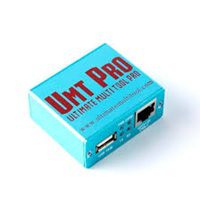
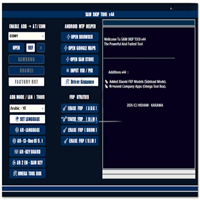
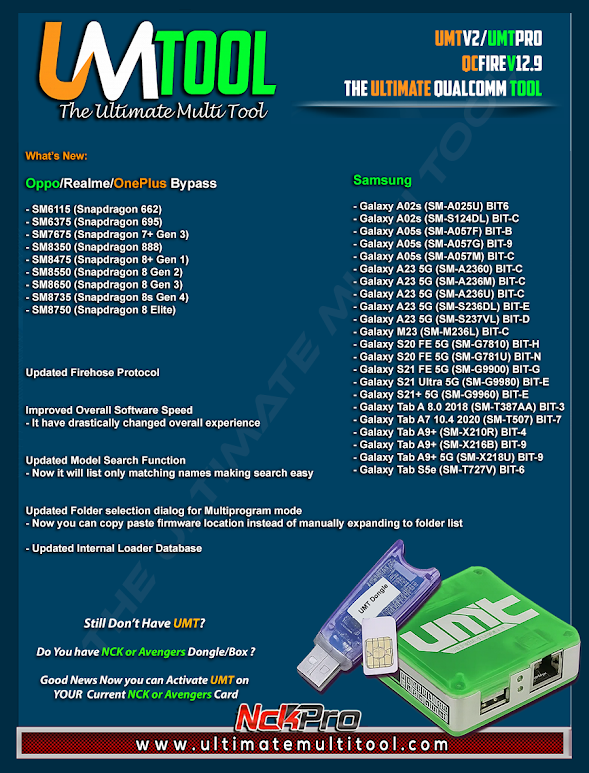
UMT QcFire Tool V12.9, the latest solution for Qualcomm servicing that has been widely acknowledged throughout the Ultimate Multi Tool community, is specifically created to target and repair, flash, unlock, and maintain your Qualcomm device.
Description
UMT QcFire Tool V12.9 stands out from other tools because it can only work in Windows. It allows you to fix and flash Qualcomm chipset smartphones. These brands include the still-young and punchy Xiaomi, Vivo, Oppo, Realme, Motorola, Lenovo, Nokia, OnePlus, LG, and many others.
Moreover, this tool enhances the flashing procedure by updating to newer Firehose loaders with feature detection and error prevention.All these are needed when you are fixing the network and signal issues.
Key Features of the UMT QcFire Tool V12.9
✔ Full Qualcomm Device Support
This tool provides broad coverage for all devices from Xiaomi, Oppo, Vivo, Realme, Motorola, Lenovo, Nokia, LG, ZTE, and OnePlus.
✔ EDL 9008 Flashing
Load up your firmware in emergency download mode and the latest Firehose loaders.
✔ FRP Bypass
Qualcomm devices have now adopted the latest security bypass, which can detect an FRP lock and remove it easily using this feature.
✔ Read, Write & Repair Partitions
Recover, save, and modify your systems, boot sector, user data, modems, QCN file, and EFS partition without any errors or crashes.
✔ IMEI Repair (Where Legal)
Use the IMEI, baseband, and network repairing software on QCN files.
✔ ADB & Fastboot Operations
Support for operational commands that provide options to reboot on various functions and take control over the system as a root administrator.
✔ Dead Boot Repair
You may flash the firmware files with EDL to recover the device from bricking issues, like the firmware experienced in most cases.
✔ Latest Security Patch Support
Functionality on systems running the latest release of the Android OS with improvements to stability.
How to Install UMT QcFire Tool V12.9
Step 1: Download the Installer
Step 2: Extract the ZIP File
Step 3—Install UMT Drivers
Qualcomm HS-USB deluder 9008
QCOM ADB/Fastboot drivers
UMT MTK & Qu drivers (bundled)
Step 4—Run the Setup
Simply double-click the setup file or navigate to the folder where you extracted it to and execute the installation.
Step 5—Insert UMT Dongle / Activate UMT
Unzip the UMT dongle files into a folder or utilize the activation tool provided by the manufacturer.
Step 6—Launch QcFire Tool
Double-click on a shortcut on your desktop screen to start accessing the software.
Step 7—Connect Your Device
Put your device in:
EDL Mode for flashing
ADB mode for reset and FRP unlock
Fastboot mode for unlock operations
Connect through a USB port.
Step 8—Select Operation
Opt for executing the feature that involves FRP removal, flashing, resetting partitions that read or write, IMEI fixing, and adjusting.
Step 9—Click Start
After setting the tool as it is specified, start it and await a notification from the program to indicate the action has been completed.
Step 10—Reboot the Device
Once the operation has finished, you will see the system reboot automatically and bring back the normal screen.
Download Link: HERE
Your File Password: 123
File Version & Size: | 199.94 MB || V12.9 |
File type: compressed / Zip & RAR (Use 7zip or WINRAR to unzip File)
Support OS: All Windows (32-64 bit)
Virus Status: 100% Safe Scanned By Avast Antivirus