EFT Pro Dongle V5.3.5 Update Free Download
EFT Pro Dongle

Introduction
EFT Pro Dongle V5.3.5 is among the top professional multifunctional unlocking and repairing tools for use by GSM technicians in Android smartphones. The latest attraction is V5.3.5, which has the greatest performance, as well as algorithmic stability, and has the longest compatibility with modern Android screens. Whether you are dealing with a Samsung, Huawei, Xiaomi, Oppo, Vivo, or the others on the list, EFT Pro Dongle V5.3.5 greatly helps you perform software problem fixes more efficiently and faster. Among other benefits characterizing this edition are an easier-to-use mobile shop repairing tool and fast operations due to the well-developed interface.
Description
EFT Pro Dongle V5.3.5 is a united professional service tool that allows you to express your talent with a multitude of Android devices. Mobile utilities like FRP bypass, factory reset, unlock bootloader, write-ups, recovery, and other system file repairs are the specialties of the software tool. It can cover any MTK-branded phone, since it supports both old and newly born chipsets, having MediaTek (MTK), Qualcomm, Exynos, Kirin, and Spectrum, which will be proper for most of the well-known smartphone names.
This time, we will focus on the development of detection, processing speed, and system updates. EFT PRO DONGLE V5.3.5 comes with a security update, new loaders, and a writer of codes, offering an improved technical service. The service offers stable connections in operation processes like flashing and unlocking. It permits engineers to use the advanced Root Manager once they have to root devices without employing other tools.
EFT Pro V5.3.5’s simple layout will make the split-screen option useful to the casual user, while the separate bulk management feature will enable new users to deal with more complex messages.
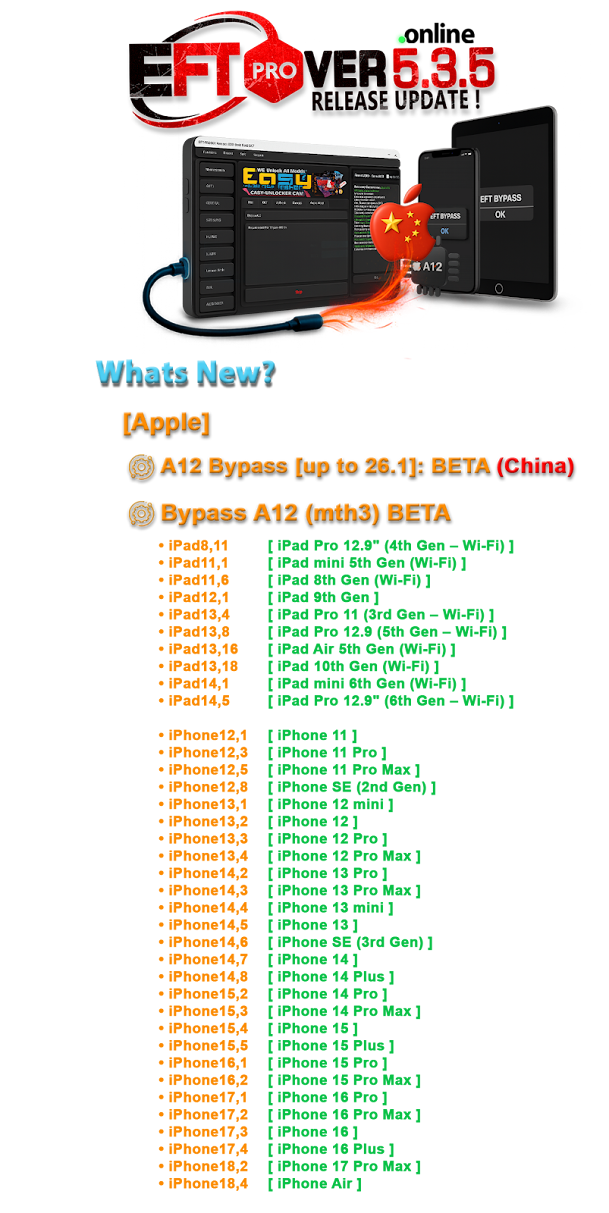
Key Features of EFT Pro Dongle V5.3.5
✔ FRP Bypass & Factory Reset
Bypass FRP locks instantly on Samsung, Xiaomi, Oppo, Vivo, Huawei, and all other brands with just one click without the need to install a custom ROM.
✔ Flash Firmware on Multiple Chipsets
Up to now, we have added the capability of flashing on MTK, Qualcomm, and Exynos devices.
✔ Remove FRP on Samsung Phones
Write firmware to Samsung mobile devices with devices in Download/Recovery modes
✔ Huawei Tools
Huawei/Honor ID Bypass, Flashing, Board Firmware Repair
✔ Xiaomi Functions
Xiaomi (Factory Reset, Anti-Relock, Unlocked your device from Mi Account, Flash)
✔ Rooting and Customization
Advanced Root Manager gives a one-step process to root. Flashing different devices has never been this easy.
✔ Data Recovery & Backup
Back up the full ROM, user data, NVRAM, and EFS during downloading to assure the loss is intact during repair.
✔ Account and Bootloader Options
Check the screen lock, Booting Unlock, system file recovery, and System short protections.
✔ Supports New Security Patches
Upgrades Android compatibility with security updates, which covers the latest Android versions.
How to Install EFT Pro Dongle V5.3.5
Step 1—Download the Software
To download the correct and ready-to-use version of EFT Pro Dongle V5.3.5, go either to the manufacturer’s webpage or to the given support section.
Step 2—Extract the File
Now unzip the downloaded ZIP/RAR file using either 7Zip or WinRAR from your right mouse button (right click) or right-click option.
Step 3—Install Required Drivers
Do not forget to install drivers, such as
Android ADB drivers
MTK/Qualcomm USB drivers
Samsung drives
Huawei his (if available)
Drivers are vital to allow your computer to communicate with the device in different modes such as ADB, Fastboot, Download, EDL, and others.
Step 4—Run the Installer
Navigate to the folder where you saved the file EFTPro_Setup.exe and double-click on the file to start the installation process. As soon as you see the installation program shown in the dialog box, follow the instructions and press the “Next” button.
Step 5—Connect the EFT Pro Dongle
The first step is to plug the dongle into the USB port of the computer.
Step 6—Launch the Tool
Double-click the desktop icon for the tool to start.
Step 7—Login & Update
Enter the account credentials on the program and proceed to update the tools and the loader to the most recent version.
Step 8—Start Using the Tool
Finally, the tool is ready to go, as you can now perform functionalities like flashing, FRP bypass, repair, and rooting.
Download Link: HERE
Your File Password: 123
File Version & Size: | 111.01 MB | V5.3.5 |
File type: compressed / Zip & RAR (Use 7zip or WINRAR to unzip File)
Support OS: All Windows (32-64 bit)
Virus Status: 100% Safe Scanned By Avast Antivirus