Domotic Tool Pro v1.5 New Version Download
Domotic Tool Pro

Introduction
The new Domotic Tool Pro v1.5 update is an updated edition of the popular Android tool built as a versatile service tool created for the tech enthusiasts from GSM, smartphone repair shops, and users on the Android platforms. Popular for its fast performance and the success rate of its cracks, with the new v1.5, the focus is especially on the enhanced stability, the improved FRP unlocking algorithms, and the expansion of the flagships that support the software. Regardless of the Android device you own or operate in your everyday life—Samsung, Xiaomi, Vivo, Oppo, or many others—the Domotic Tool Pro v1.5 package is a whole armory of features that simplifies the jobs of unlocking the device, flashing, system repair, and software diagnostics.
The utility is lightweight, easy to navigate, and crammed with all but the essential activities that any mobile technician needs to make the job accessible and enjoyable. Like its innovative algorithms and efficient brand management, the Domotic Tool Pro v1.5 has the upper hand when it comes to choosing a tool for your day-to-day GSM work. The new release includes improved control but is even faster and responsive to the newest Android builds for easier use, with no necessity for repairs.
Description
Domotic Tool Pro v1.5 is a powerful Android repairing tool for the Windows operating system. It includes a wide range of capabilities that let the users bypass FRP, unlock patterns, run ADB and Fastboot operations, get device information using FRP Tool, and do system recovery operations. The software is designed to make life easier for both the layman and the skilled by using a user-friendly GUI with click-to-use function modules.
The new version now fulfills the increased need for FRP that works with the latest generation of devices, updates for the 14/15 security patches, additional improvements in compatibility with MediaTek and Qualcomm chips, and an advanced technology for finding out or picking up devices quickly on Fastboot/ADB modes. Unlike PC apps, Domotic Tool Pro v1.5 is very lightweight and portable. It can be run even without installation or on a system with far smaller resources.
The tool provides extraordinary feedback from practically all popular brands, such as Samsung, Xiaomi, Redmi, Poco, Vivo, Oppo, Realme, Motorola, Nokia, Tecno, Infinis, Lava, and many others. Whether stuck in boatload or unresponsive mode, this one-stop tool is a versatile and effective daily-use solution for minor and major repair jobs.
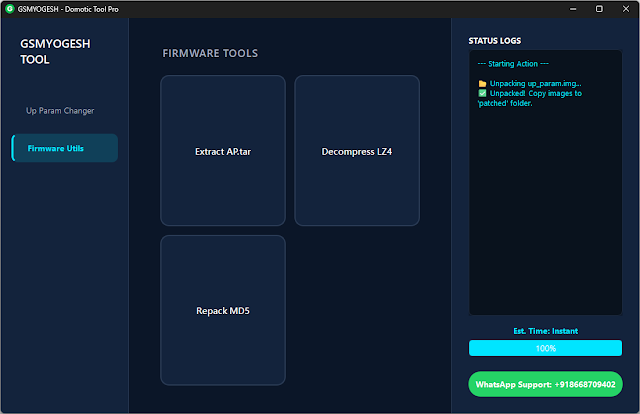
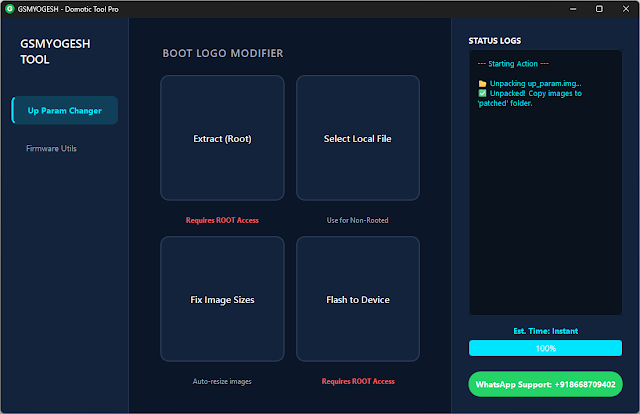
Key Features of Domotic Tool Pro v1.5
1. FRP Bypass for All Major Android Brands
Supports FRP removal for Samsung, Xiaomi, Vivo, Oppo, Realme, Nokia, Motorola, Tecno, and many others.
Includes updated FRP methods for models with 2024–2025 security features.
2. ADB Tools & Diagnostics
Read devices details
Remove pattern/PIN (ADB Mode)
Enable/disable system apps
Rebooting mode (Recovery, Fastboot, EDL, Bootloader)
3. Fastboot Mode Utilities
Unlock/Relock bootloader
Factory reset
Flash/wipe partitions
Look the Fastboot status
Extremely useful devices on which the bootloader is currently suppressed, or to which custom flash operations are sent.
4. Samsung Special Features
One-click Samsung FRP
Samsung Factory Reset
ADB enable functions
Support for the latest One UI patches
5. Xiaomi/Poco/Redmi Tools
My account is disabled (ADB/Fastboot)
Xiaomi FRP
Fastboot reset operations
Updated support for Hyper’s devices
6. MediaTek (MTK) Chipset Functions
FRP Reset
Factory Reset
Authentication bypass
Partition backup and advanced MTK tools
7. Qualcomm (EDL) Features
Read device info
Factory reset via EDL
Partition flashing
The one and only thing you need is this department when your device has a dead boot or recovery made by Qualcomm.
8. Recovery & Sideload Utilities
Flash OTA packages
Wipe data/cache
Install system updates through sideload.
9. Lightweight and Portable
No heavy installation required; runs smoothly on low-end PCs and all Windows versions, including Windows 7, 8, 10, and 11.
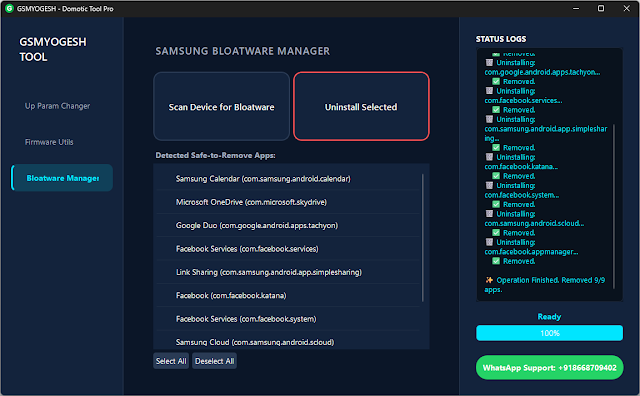
How to Install Domotic Tool Pro v1.5
Step 1: Download the Tool
Step 2: Extract the ZIP File
Right-click on the zipped folder, and then select the Extract Here option from WinRAR/7-Zip.
Step 3: Disable Antivirus (Temporary)
GSM tools are fraught with frequent false positive warnings.
Disable Windows Defender or third-party antivirus applications temporarily.
Step 4: Run the Tool
With the saved tool, unzip the file and then open the eye document.
The portable version of the program does not need any installation—just run the executable file and start using it.
Step 5: Install Needed Drivers
Make sure the next ones are pre-installed:
ADB Driver
Samsung USB Driver
Qualcomm Driver
MediaTek VCOM Driver
These shall do the trick of ensuring their device is picked accurately.
Step 6: Connect Your Device
Get yourself a good USB cable, and the next charger will be effective for you as well. The USB debugging mode is to be turned on.
Step 7: Use the Available Modules
Choose the feature you want—FRP, ADB, Fastboot, MTK, Samsung, or Xiaomi—from a list, and then all steps will be with on-screen hints.
Download Link: HERE
Your File Password: 123
File Version & Size: | 37.81 MB || v1.5 |
File type: compressed/zip & RAR (use 7zip or WinRAR to unzip the file).
Support OS: All Windows (32-64 Bit)
Virus Status: 100% Safe Scanned By Avast Antivirus