Introduction
EFT PRO V5.3.3 is the latest and most powerful update of the popular EFT Pro Dongle/Tool utilized by technicians worldwide for unlocking, flashing, repairing, and FRP removal for Android smartphones.
In this sequence, a new version brings Snapdragon, MediaTek, Samsung, and Spreadtrum processor support. We tried to reflect improvements on the machine in maintaining better performance, bug fixing, expanding the device database, and flashing speed in the update to provide a more effective and seamless repair setting for users.
Description
The latest version gives a lot of new things in comparison with the previous one. These new changes and improvements are on the list below.
The impressive security bypass functions paired with the very high accuracy level make it an ideal choice of devices concerning new security protocols on modern smartphones.
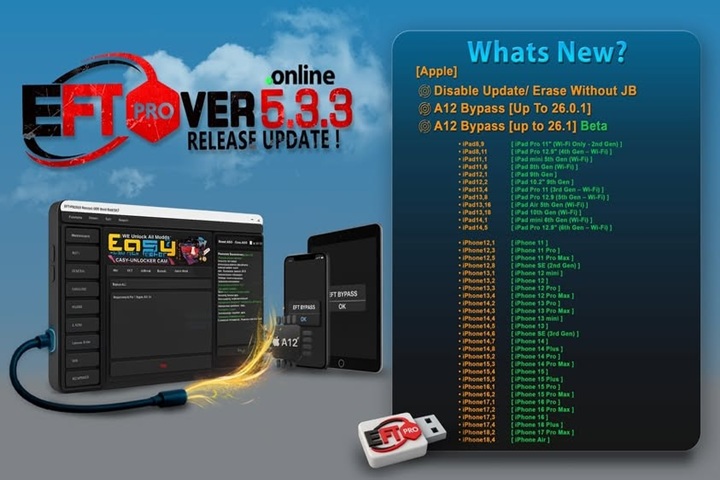
Key Features of EFT PRO V5.3.3
Samsung FRP & Unlocking Enhancements
Improved FRP algorithm for brand-new Samsung Android versions
Optimized ADB and MTP detection
Fast and effective new model FRP bypass with just a click of a button
Fast mode FRP bypass without any kind of data loss (supporting models)
MTK (MediaTek) Updated Functions
Quick sergeant for fun and sport with an intensified engine speed
Modified DA and preloaded libraries
Enhanced processor functionality in the latest Helio and density processor settings
Qualcomm (QCOM) Support Updates
Enabled EDL mode operations workload
Smeared issues in the diary in the debugging mode
Maintain the security systems as QCOM brings in new predominant models
Format, partition and QCN operations become more efficient
Spreadtrum (SPD) Enhancements
Goodbye to necessary manual digging
Improved protocols for the latest SPD (Spreadtrum) chipsets
Flashing & Firmware Management
Full flashing software support with the custom and stock ROMs
Automatic locus determination
Fix blue screen of death, soft brick, and (omit)stuck boot image smartphones
Users can choose to flash either the scatter, XML, OPF, and other formats.
IMEI Repair & Network Fix Options
To address such routines, this provision of customized IMEI repair and unlocking options has been integrated into the update.
No service fix, bangboard issues, emergency calls only, etc.
Advanced Reset & Unlock Tools
Remove the data of the secure lock, give a new PIN, password
Wipe user data and security partitions
Release MDM and KG (where permitted)
A secured set of operations without any data loss to the user on the specific devices
User-Friendly Interface
Embedded with an intuitive UI (User Interface)
Tabbed out and categorically arranged nested menu style
Regular Updates
One of the strong points of EFT PRO is the frequent addition of capabilities
For immediate improvement in the system, new compatibility, there is no hassle in the procedure at all.
How to install and use EFT PRO V5.3.3
Step 1: Download the EFT PRO V5.3.3
Step 2: Open the Zip File
Perform the minor ex featuring that ZIP/RAR file using WinRAR or 7Zip upon completion of the download. You will discover the installation package and the drivers within the folder.
Step 3: Installation of Dongle/Box Drivers
Ada and Fastboot Drivers
Qualcomm Drivers
Samsung USB Drivers
MediaTek (MTK) Drivers
SPD Drivers
Having all the drivers installed ensures that your PC detects all the devices properly.
Step 4: Launch Installation
The setup wizard should be executed with administrator user privileges.
Ultimately, the installation guide will assist you.
Step 5: Connect the EFT PRO Dongle/Box System
EFT PRO 5.3.3 will need to be activated using the EFT-Pro Dongle, the EFT-Pro Box, or just an EFT-Pro License key (online).
Enter the capable credentials in the box.
Step 6: Initiate the Program
Run the matter on your computer by double-clicking.
Link the account to your name and the password.
Step 7: Put It to Work
Connect the device connections as you wish:
MTP
For ADB
Fastboot
Screen bumper/breastplate
Download Mode
Feeding where metacarpal
One of the choices is BROM Mode.
By pressing the desired button, you can start your work.
Allow the computer to update the drivers, and then it will find your device and start the operation.
Download Link: HERE
Your File Password: 123
File Version & Size: | 109.10 MB || V5.3.3 |
File type: compressed / Zip & RAR (Use 7zip or WINRAR to unzip File)
Support OS: All Windows (32-64 bit)
Virus Status: 100% Safe Scanned By Avast Antivirus