Introduction
The new SamsTool Online v1.27 has added standard and advanced modules for FRP bypass, factory reset, Auth bypass, MTP mode, and diagnostics without any need of sophistication or expensive dongles.
Description
Unlike the legacy servicing tools that compel users not only to acquire sophisticated rudiments but also to install them, whether required or not.
The new update is relatively faster and more compatible with the latest versions of the Android ROM. The server connection has been solidified to make execution faster and to ensure that there are no errors in the operations.
Often, SamsTool Online v1.27 is a timesaving and efficient tool for those who work daily with Samsung FRP locks. The updates come with new ways of FRP bypass, such as MTP-based ones, ADB enabling methods, and enhanced Knox functions.
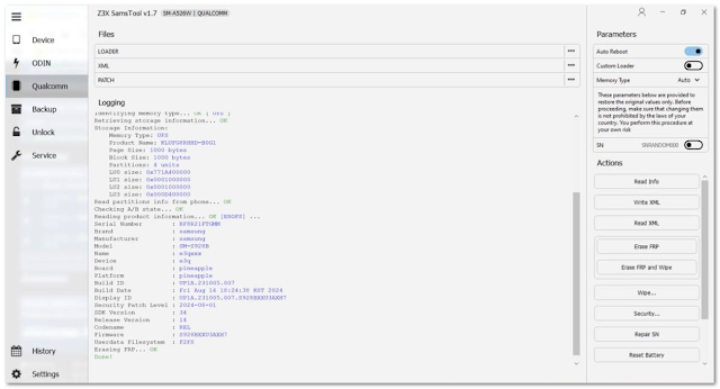
Key Features of SamsTool Online v1.27
1. MTP Mode FRP Bypass
– Perform quick FRP unlocking directly in MTP mode.
– Works with the majority of Samsung devices with the new security updates.
– One-click tech with a whopping achievement level.
2. ADB Mode Advanced Functions
– Get rid of FRP, Google accounts, and user locks through ADB.
– Quickly learn the device information and do whatever you need to run additional troubleshooting tools.
3. Samsung Special Functions
– Paid Samsung FRP tools, which are more effective with new algorithms.
– Unlocking of MDM lock, KG lock, and test mode.
– More intensive support for the latest Galaxy models.
4. Qualcomm & MediaTek Support
– Greater compatibility with Qualcomm devices.
5. Online Server Authentication
– Without dongle needed.
– Online automatic login system, which can give you access from any PC.
– Regularly upgrading the servers adds new functions automatically and immediately.
6. Model Auto-Detection
– It spotlights the chip manufacturer, the brand of the device, and the model in an instant.
– Reduce steps done physically and the margin for error.
7. One-Click Operations
– Factory reset
– FRP removal
– Start ADB
– Bootloader unlock (only for devices specified)
– MDM fix
You can perform any of these from a simple one-touch interface.
8. Lightweight & Fast Performance
– Quickly executes even on less amazing computers.
– Attractive and easy-to-navigate screen.
9. Support for the Latest Android Versions
– The Android version updated to accommodate Android 13, 14, and 15 builds.
10. Frequent Updates
– The app stays ever updated with the developers pushing updates frequently.
How to Install of SamsTool Online v1.27
The developers have compiled this simple guide aimed at providing you with an easy installation within the shortest time possible to get your work moving, and you can start. The steps are as below:
Step 1 – Download SamsTool Online v1.27.
Step 2 – Extract the Zip File
Once the download is complete, use this step: Right-click on the ZIP/RAR file and choose “Extract Here.”
Step 3 – Install Drivers
Drivers required are:
– Samsung USB Driver
– Qualcomm Driver
– MediaTek USB Driver
– ADB and Fastboot Drivers
This enables your PC to recognize the devices easily.
Step 4 – Locate the setup.exe to start the installation
Step 5—Signing in/Registering
After the setup:
– Begin the app program
– Using your login ID and password, sign in
Step 6—Connection with the Device
– Turn on the device in MTP, ADB, Fastboot, EDL, or prelate mode as per work depending on the need. For this, see other materials.
– The tool recognizes the devices and functions efficiently.
Step 7 – Pick the service you want to start
Immediately choose functions that you may want to use:
– FRP Bypass
– ADB Working
– Restoring all settings
– Fixing MDM
Next is to press “Start” and grant the application to manage the request.
Download Link: HERE
Your File Password: 123
File Version & Size: | 16.51 MB || v1.27 |
File type: compressed / Zip & RAR (Use 7zip or WINRAR to unzip File)
Support OS: All Windows (32-64 bit)
Virus Status: 100% Safe Scanned By Avast Antivirus