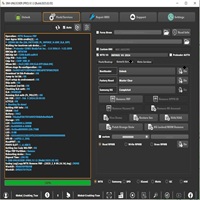
Android Multi Tool v1.3.5.2 Released (Free Auth)
Android Multi Tool v1.3.5.2

Introduction
Android smartphones are widely used across the world due to their flexibility, customization options, and large ecosystem of applications. However, like any other technology, Android devices sometimes encounter issues such as forgotten passwords, pattern locks, boot loops, or system errors. In such situations, specialized servicing tools become essential for repairing and maintaining these devices. One of the most popular utilities used by technicians and advanced Android users is Android Multi Tool, and the latest version, Android Multi Tool v1.3.5.2, introduces improved functionality and better compatibility.
Android Multi Tool is a lightweight Windows-based software designed to perform several Android repair operations from a single interface. The tool allows users to remove screen locks, reset devices, read device information, and fix common software-related issues quickly and efficiently.
With its simple command-based interface and powerful features, Android Multi Tool has become a trusted solution for many mobile technicians and Android enthusiasts. The latest update, v1.3.5.2, brings enhanced performance and stability, making it even more reliable for handling modern Android smartphones.
In this article, we will explore the introduction, overview, description, key features, installation process, and system requirements of Android Multi Tool v1.3.5.2, helping you understand why it remains one of the most useful Android servicing utilities.
Overview
Android Multi Tool v1.3.5.2 is a multifunctional Android servicing utility designed to help users manage and repair their smartphones using a computer. The software communicates with Android devices through ADB (Android Debug Bridge), enabling technicians to execute commands that perform various repair and maintenance tasks.
The tool is widely used for operations such as unlocking pattern locks, resetting devices, wiping user data, and reading device details. It works with a wide range of Android smartphones and tablets from different manufacturers.
One of the key advantages of Android Multi Tool is its lightweight design and simple interface. Unlike complex mobile servicing software that requires professional training, this tool provides straightforward options that make it accessible even for beginners.
Another important feature is its fast execution speed. Because the tool relies on ADB commands, it can quickly communicate with connected devices and perform tasks within seconds.
Android Multi Tool v1.3.5.2 also supports multiple Android versions and provides reliable results for common repair tasks. This makes it a valuable tool for technicians working in mobile repair shops as well as individuals who want to troubleshoot their own devices.
Description
Android Multi Tool v1.3.5.2 is designed to simplify Android device servicing by providing a collection of powerful utilities in a single software package. The tool focuses primarily on fixing software-related problems that prevent users from accessing their devices.
One of the most common situations where this tool is used is when a user forgets their screen lock password, pattern, or PIN. Android Multi Tool can help remove these locks, allowing the device to be accessed again.
The software can also perform factory resets and data wipes, which are useful when a device becomes slow or experiences software glitches. By resetting the system, the tool restores the device to its original state.
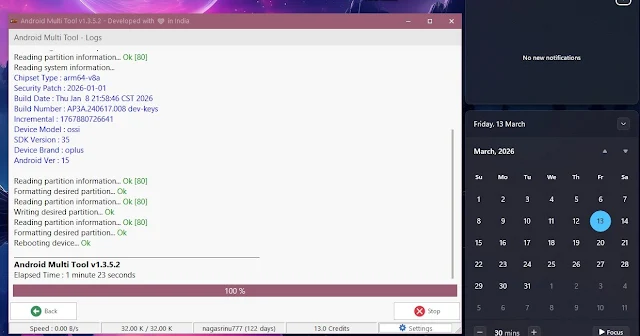
Another useful capability of Android Multi Tool is device information retrieval. The software can display details such as device model, Android version, and system information when the phone is connected to the computer.
The tool operates through a simple command-line style interface, where users select options by entering numbers corresponding to specific functions. This approach keeps the program lightweight and efficient.
Additionally, Android Multi Tool does not require high-end hardware or complicated configuration. Once the required drivers are installed and USB debugging is enabled on the device, the software can communicate with the smartphone easily.
Overall, Android Multi Tool v1.3.5.2 is a practical and efficient solution for handling common Android device problems.
Key Features
Android Multi Tool v1.3.5.2 includes several useful features that make it an essential tool for Android device servicing.
Remove Screen Locks
The tool can remove pattern locks, PIN locks, and password locks from supported Android devices.
Factory Reset Option
Users can perform a complete factory reset to restore devices to their original settings.
Device Information Reading
The software can retrieve detailed information about connected Android devices.
Data Wipe Function
Android Multi Tool allows technicians to wipe user data and cache partitions.
ADB-Based Communication
The tool uses ADB commands to interact with Android devices efficiently.
Lightweight and Fast
Because of its simple design, the tool runs quickly and consumes minimal system resources.
Wide Device Compatibility
The software supports a wide range of Android smartphones and tablets.
Simple User Interface
The menu-based interface allows users to perform operations easily without complicated settings.
How To Install Android Multi Tool v1.3.5.2
Installing Android Multi Tool v1.3.5.2 is quick and simple. Follow the steps below to install the software on your Windows computer.
Step 1:
Download the Android Multi Tool v1.3.5.2 setup package from a trusted Android repair tools website.
Step 2:
Extract the downloaded ZIP or RAR file using extraction software such as WinRAR or 7-Zip.
Step 3:
Open the extracted folder and locate the main tool file.
Step 4:
Install the required ADB and USB drivers to allow communication between the smartphone and the computer.
Step 5:
Enable USB Debugging on the Android device by going to Developer Options.
Step 6:
Connect the Android smartphone to the computer using a USB data cable.
Step 7:
Run the Android Multi Tool program as administrator.
Step 8:
Choose the desired operation from the menu and follow the instructions displayed on the screen.
Once installed and connected, the tool will allow you to perform different Android servicing operations.
| NOTICE: MAKE SURE TO HAVE YOUR ANTIVIRUS DISABLED; NOT DOING SO RESULTS INTO THE SOFTWARE YOU ARE INSTALLING TO CRASH AND NOT OPEN. ALL DOWNLOAD FILES ON THIS SITE ARE 100% CLEAN, REGARDLESS OF WHAT NORTON, AVG, MCAFEE, ETC. PICKS UP
This software includes cracked files. Antivirus programs may detect and remove them. If you want to use this software for free and avoid any issues during installation, please disable your antivirus temporarily. |
Download Link: HERE
Your File Password: GSMLabSolution.com
File Version & Size: | 65.61 MB || v1.3.5.2 |
File type: compressed / Zip & RAR (Use 7-Zip or WINRAR to unzip the file)
Support OS: All Windows (32-64 Bit)
Virus Status: 100% Safe. Scanned By Avast Antivirus