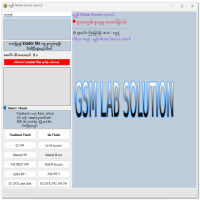
Universal MDM & KG Bypass Pro Tool Free Download
Universal MDM & KG Bypass Pro Tool

Introduction
Universal MDM & KG Bypass Pro Tool is an advanced Android servicing utility designed for professional mobile technicians who deal with locked corporate devices and Samsung KG-locked smartphones. In today’s enterprise environment, many devices are protected by MDM (Mobile Device Management) systems and KG (Knox Guard) security to prevent unauthorized access.
This professional bypass tool provides a streamlined solution for handling supported devices in legitimate servicing scenarios. If you are searching for the Universal MDM bypass tool 2026, the KG bypass Pro tool latest version, or Samsung KG lock removal software for Windows, this detailed SEO-optimized article will guide you through everything you need to know.
Overview
Universal MDM & KG Bypass Pro Tool is developed for GSM professionals who need to work on enterprise-managed Android devices. It supports selected models and security versions, allowing technicians to remove or bypass restrictions under proper authorization.
The tool focuses on:
-
MDM lock bypass
-
Samsung KG (Knox Guard) lock handling
-
ADB-based servicing
-
Fastboot operations
-
Secure device communication
The 2026 version comes with improved compatibility, better USB detection, enhanced security patch handling, and faster operation speed.
It is mainly used by:
-
Mobile repair shops
-
Enterprise device refurbishers
-
Advanced Android technicians
-
GSM software engineers

Description
Mobile Device Management (MDM) is widely used by companies to control and monitor smartphones issued to employees. Similarly, Samsung’s Knox Guard (KG) system protects devices from unauthorized use when under financial or enterprise restrictions.
Universal MDM & KG Bypass Pro Tool provides an interface that communicates with Android devices through:
-
ADB Mode
-
Fastboot Mode
-
Download Mode (Samsung)
The tool works by detecting device status, checking lock type, and applying supported bypass methods. The latest 2026 update improves compatibility with newer Android versions and enhanced security patches.
Main functions include:
-
Temporary MDM bypass (where supported)
-
KG state checking
-
KG lock removal (on supported firmware)
-
Device information reading
-
Reset and reconfiguration support
This tool simplifies complex operations into a user-friendly interface, reducing the need for manual command-line processes.
Key Features of Universal MDM & KG Bypass Pro Tool
Here are the major features of the latest version:
1. Universal MDM Bypass Support
Supports bypassing enterprise MDM restrictions on selected Android models.
2. Samsung KG (Knox Guard) Lock Handling
Detects KG state (checking, locked, active) and performs supported servicing operations.
3. ADB & Fastboot Integration
Allows communication through standard Android debugging modes.
4. Auto Device Detection
Automatically identifies connected devices and displays model information.
5. Clean User Interface
Simple dashboard suitable for beginners and professionals.
6. Security Patch Compatibility
Improved support for 2025–2026 Android security updates (model dependent).
7. Log Monitoring System
Displays detailed process logs for troubleshooting.
8. Lightweight & Fast
Optimized for smooth performance on 64-bit Windows systems.
9. Regular Updates
Frequent updates add new device compatibility and bug fixes.
10. One-Click Operations
Most functions are simplified into single-click processes.
How To Install Universal MDM & KG Bypass Pro Tool
Follow the steps below carefully:
Step 1: Download the Tool
Download the latest version of the Universal MDM & KG Bypass Pro Tool from a trusted and verified source.
Step 2: Extract Files
If the file is compressed (ZIP or RAR), extract it using WinRAR or 7-Zip.
Step 3: Disable Antivirus (Temporarily)
Some GSM tools may be flagged as false positives. Temporarily disable antivirus during installation.
Step 4: Install Required Drivers
Install the following drivers:
-
Samsung USB Drivers
-
ADB Drivers
-
Fastboot Drivers
Restart your PC after driver installation.
Step 5: Run as Administrator
Right-click on the tool’s executable file and choose Run as Administrator.
Step 6: Connect Your Device
Enable USB Debugging (if accessible) and connect your device using a high-quality USB cable.
Step 7: Select Desired Operation
Choose the required function (MDM bypass, KG check, reset, etc.) and follow on-screen instructions.
Download Link: HERE
Your File Password: GSMLabSolution.com
File Version & Size: | 20.19 MB |
File type: compressed / Zip & RAR (Use 7zip or WINRAR to unzip File)
Support OS: All Windows (32-64 bit)
Virus Status: 100% Safe Scanned By Avast Antivirus