Introduction
SamsTool Online v1.31 is a functional and powerful Samsung tool made to execute a wide range of service options such as lock/unlock, security, and software-related actions for Samsung Android devices. The SamsTool Online aims to solve these issues with its online authentication method and the use of the latest up-to-date service technology.
Description
SamsTool Online v1.31 is Samsung mobile-focused Windows software designed to service these handsets over the Internet Authentication from the server.
The tool interfaces with Samsung devices through ADBA (Android Debugging Bridge) and the rest of the service modes, all of which are supported depending on the specific feature being executed.
It contains the background enhancements in version 1.31 that improve device detection and lower errors, making the rate of execution efficient. The interface is well-organized, allowing users the required operation without confusion. The two important functions, which are clearly categorized, make the tool highly fit to be applicable by the experienced technician and the immediately new users.
One good thing about SamsTool Online is that it will run smoothly on modern Windows systems, which in most cases are common, and you will not have to spend a lot of money on hardware configuration.
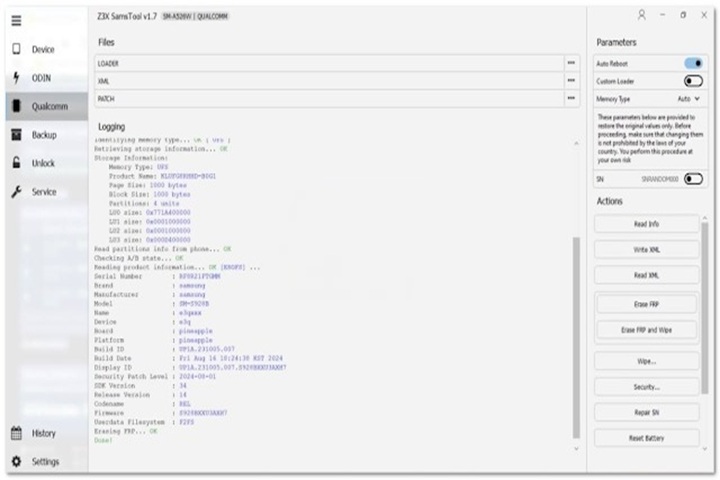
Key Features of SamsTool Online v1.31
Samsung-Only Focus
Focused entirely on Samsung devices, the software is free from clashes with other brands’ products.
Online Server-Based Operations
Performed through online secure authorization to carry out supported maintenance functions that demand a newer Android Security Patch.
FRP & Security Servicing
Supports FRP handling and general security maintenance for compatible Samsung devices.
ADB & Download Mode Support
It operates through ADB and can make use of Download Mode for a stable interaction between the program and the gadgets made by Samsung.
Improved Stability in v1.31
A highly stabilized algorithm eliminates connection hiccups and ensures constant task completion.
User-Friendly Interface
Intuitive design helps in simplifying the application for all levels of users, even if they have very little experience.
No Complex Hardware Required
It does not require one to have connected boxes or dongles.
Fast Operation Execution
The efficiency of the processes involved eases completion of the service tasks in a very short time.
Regular Updates
Get to know the periodic updates, which will provide you with compatibility with new models of Samsung and the newest releases of the Android OS.
How to Install and Use SamsTool Online v1.31
Here is the sequence of steps for you to run SamsTool Online v1.31 on your personal computer:
Step 1: Download the Tool
Step 2: Unzip the Files
Upload the application by transferring or extracting it from its ZIP or RAR format.
Right-click the file.
Select Extract Here or Extract to Folder.
Step 3: Antivirus Temporarily Disable
Some antivirus programs might think a call from a GSM program is fake, so they are reported as false positives. As a result, minimally avail your antivirus guard to prevent potential issues.
Step 4: Samsung USB Driver Installation
Get the installer for the most recent version of Samsung USB drivers, which are necessary to fully detect all probes.
Step 5: Run the Tool as Administrator
Open the SamsTool Online Software folder you just unzipped or extracted
Choose the desired file OnlineTool.exe and right-click on it
Click the option “Run as administrator.”
Step 6: Linking to a Samsung Device
Turn the device on
Assistant is using a USB cable attached to a computer
Step 7: Operational Needs of the Operation
Make a selection of the specific function that you are handling.
Press and hold the button to start the process.
Upon completion, reboot the device and turn off your gadget.
Download Link: HERE
Your File Password: 123
File Version & Size: | 117.88 MB || V1.31 |
File type: compressed / Zip & RAR (Use 7zip or WINRAR to unzip File)
Support OS: All Windows (32-64 bit)
Virus Status: 100% Safe Scanned By Avast Antivirus