Introduction
SamsTool Online v1.30 is an efficient implementation utility for Android servicing, which is exclusively provided in the servicing jobs of Samsung smartphones and tablets. SamsTool Online is rapidly becoming the key category leader among mobile phone repair businesses by providing cloud-based authorization, a superb rescue rate, and being highly accessible.
Description
The tool features many service modes, such as ADB, Download Mode, and MTP, respectively, based on the device and task.
One of the greatest assets of the version SamsTool Online v1.30 is the robust appearance and ease of navigation. Clean, clear, and easy-to-understand interface, which features well-arranged menus to make the work such a walkover even for the beginners.
The 1.30 iteration involves the stabilization and speed of the server and compatibility with the latest security measures of Samsung. This package also comprises improved error handling and provides dependable and informative status messages at every step.
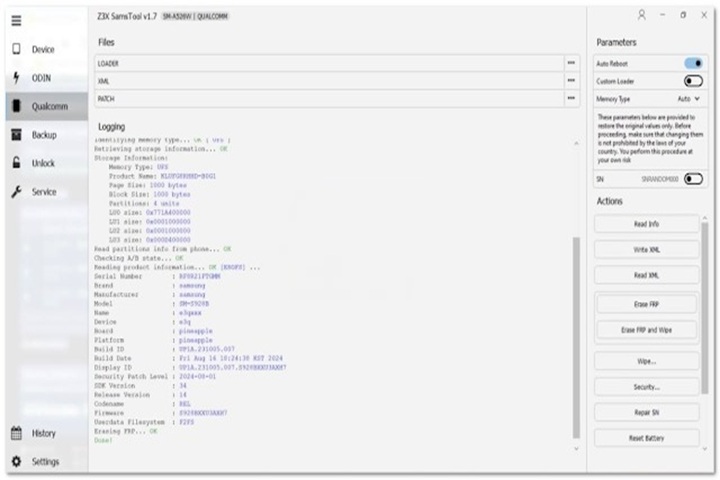
Key Features of SamsTool Online v1.30
✔ Samsung FRP Removal
This script can bypass the Google/FRP lock for specifically selected Samsung devices.
✔ CSC Change Function
Allows for the CSC to be altered in such a way as to provide access to regional-specific services.
✔ Factory Reset & Maintenance
Get all your desired safe reset functions and system maintenance in place.
✔ ADB & Download Mode Support
The tool provides multiple options, such as Download Mode and ADB, to root various Samsung devices.
✔ Online Server-Based Operations
The operation is held on an online server with a secure and authenticated process.
✔ Automatic Device Detection
It scans the details of the device, like model, launch date, Android version, and security level, automatically.
✔ High Success Rate
Optimized scripts ensure that operations will only be performed on devices powered by the supported firmware.
✔ Real-time Status Logs
Informs you of where you are and whether you are making any mistakes at all while operating the tool.
✔ Regular Updates
The regular updating of the model list and the enhancing of compatibility happen on an ongoing basis.
How to Install SamsTool Online v1.30
Step 1: Download the Tool
The efficiency and quality of our work have become key highlights to our clients. We have earned this through the years due to our dedication and expertise in the auto-mechanic niche.
Step 2: Extract the Files
Extract the downloaded file from the following using WinRAR or 7-Zip.
Step 3: Install Required Drivers
Once you have all the drivers on the correct operating system in order, you can restore the smartphone by running the following: Install the Samsung USB driver and ADB & Fastboot drivers.
Step 4: Run the Tool
Open the extracted file and find the ‘SamsTool’ button; just double-click on it, and it will direct you to the authorized user who you need to sign up with, and make sure you are connected to the internet.
Step 5: Login/Activation
Type the email address and password you registered with. Now with the active internet connection, proceed with the installation process.
Step 6: Connect the Samsung Device
Attach the Samsung device either in Download Mode or ADB (Debugging USB).
Step 7: Select the Operation
Choose and click the operation that you want to perform. For example, Reset or CSC Change.
Step 8: Start the Process
With that, the operation you wanted to carry out would have started. The end! Saved the day! Your device shall reboot if necessary.
Download Link: HERE
Your File Password: 123
File Version & Size: | 118.23 MB || V1.30 |
File type: compressed / Zip & RAR (Use 7zip or WINRAR to unzip File)
Support OS: All Windows (32-64 bit)
Virus Status: 100% Safe Scanned By Avast Antivirus