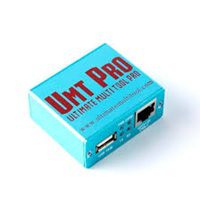
Pandora Box V9.11 Latest Update Free Download
Pandora Box

Introduction
In the current mobile-focused market, it should be positive to have a fast, adaptable, and stable servicing utility, Pandora’s Box, as the ultimate solution.
Description
Pandora Box V9.11, developed as an all-in-one tool that serves multi-platforms of the Android OS, is compatible with the smartphones that are using mainstream chipsets involving Qualcomm, MediaTek, Spreadtrum (SPD), and others. These include an updated engine for faster completion of tasks and a small chance of smartphone damage.
System stability, multi-level optimization, and the addition of new models are the key updating themes of this system version. Science also put into the system some repair functions, which makes it easy for technicians to update their system to the latest Android security patches. One of the things that makes the Pandora Box tool a choice for so many people, whether they are professionals or not, is its accuracy.

Key Features of Pandora Box V9.11
Here are the major highlights of Pandora’s Box V9.11:
1. Updated FRP Bypass Methods
This version features enhanced security bypass for Samsung, Xiaomi, Vivo, Oppo, and even more brands.
2. Advanced Flashing Support
The modified Flashing Engine will help increase the speed and stability of flashing when compared to other products of a a similar nature.
3. IMEI Repair & Network Fixes
The application, which is intended for supported devices, features advanced IMEI repair and signal fixing options.
4. Bootloader Unlock & Relock
Some device users can easily relock or unlock the bootloader with just one click. This feature is helpful to those who look to flash their ROMs and then restore factory conditions.
5. Dead Boot Recovery
The Pandora Box is a flexible device and is able to help any user to revive their phones with a loss of memory and each advanced recovery exception.
6. Qualcomm, MediaTek & SPD Support
This fresh update actually includes broader support for recent chipsets, so the great majority of Android devices should work without a hitch.
7. One-Click Functions
Functions such as setting reboot to EDL, changing SW mode, typing to get into factory, erasing/wiping user data, and entering test mode are performed in just a moment, not by means of command text.
8. User-Friendly Interface
The visual information is clear and easy to read, as the interface elements are well organized, so the new technicians can be without problems.
How to Install Pandora Box V9.11
Below are the steps that you can follow to install Pandora Box V9.11 on your PC machine:
Step 1: Download Pandora Box V9.11
Step 2: Extract the ZIP File
After downloading, by right-clicking the downloaded ZIP file, you get the option of ‘Extract Here,’ wherein you can do it with 7-Zip or WinRAR.
Step 3: Run the Installer
Open the unzipped file, where you will find the setup file. Double-click setup.exe to open it.
Step 4: Complete the Installation Wizard
Follow the installation guide step by step. Choose the Default option and finish it by clicking the “Next” button.
Step 5: Launch the Tool
Open the Pandora Box tool from the shortcut created on your desktop when the system process was completed. If necessary, you might probably need to enter your username and password or provide the required serial number.
Step 6: Connect Your Device
Moreover, you should connect the USB cable and, with the help of USB drivers (Qualcomm, MTK, SPD, or Fastboot drivers), enable the data sharing.
Download Link: HERE
Your File Password: 123
File Version & Size: | 201.23 MB || V9.11 |
File type: compressed / Zip & RAR (Use 7zip or WINRAR to unzip File)
Support OS: All Windows (32-64 bit)
Virus Status: 100% Safe Scanned By Avast Antivirus