Introduction
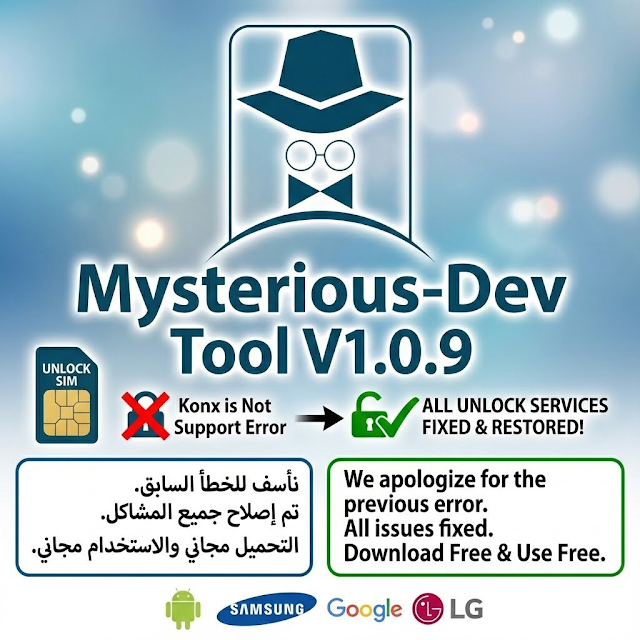
Mysterious-Dev Tool V1.0.9 specifically deals with gaps left behind by the previous tools through increasing compatibility, fortifying stability, and executing smarter techniques.
If you’re someone who works at a repair shop, either small or running it yourself, this application gifts to you very practical functionality and very much possible complexity. Therefore, no matter what kind of slump you’re in, this application is always a good dose of support.
Description
Mysterious-Dev Tool V1.0.9 is a feature-rich application for the Windows operating system that utilizes ADB and the majority of the system-level operation methods to perform a wide array of technical maintenance, access, and system-level operations through the USB connection.
The Mysterious-Dev Tool application is often very popular for being able to bypass FRP-based processes, ADB services, and overall phone setup procedures. It does not ask for paid activation or extra equipment. That level of simplicity is what has made it so practical for both hobbyists and professionals. The update also introduces Android compatibility, which works pretty well with the newer versions of Android, ensuring that the application offers more chances of use in fixing the smartphones accordingly.
It is also important to note that the software can have potential vulnerabilities, which you do not want on sensitive information.
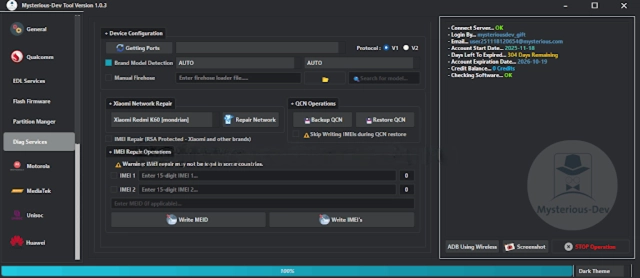
Key Features of Mysterious-Dev Tool V1.0.9
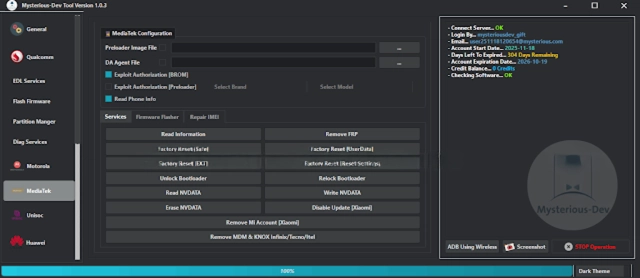
Mysterious-Dev Tool V1.0.9 integrates a host of helpful features to streamline Android servicing:
🔹 Multi-Purpose Android Service App
The utility consolidates a number of services, which are offered for Android maintenance, in one piece of software.
🔹 FRP and Account-Related Actions
Can be used for operation of FRP (Factory Reset Protection) and account-related issues, whether this key is turned on for a particular node of your phone.
🔹 Advanced ADB Functions
Includes ADB service features like system access, device information retrieval, and troubleshooting functions.
🔹 No Dongle or Paid Activation
The required hardware box or any activation license is not included, which decreases repair costs and helps the respectable wall of their wallet.
🔹 Impressed Device Identification
With a device that is, hopefully, recognized instantly by the USB, there is no other hindrance, encryption, or disturbance that could have occurred due to that phenomenon.
🔹 Clean and Stylish Interface
It already has a user-friendly interface, allowing even an average starter to navigate it effectively.
🔹 Zero Delay in Operation
Hindered processes reduce waiting time during the operation.
🔹 Fluent and Stable Performance
Functioned clearly and stably with less CPU or RAM usage on most of the Windows.
🔹 Frequent and Timely Development
There are continuous updates to the software by the developer, updating the software. Most of these updates concern compatibility.
How to Install of Mysterious-Dev Tool V1.0.9
Knowing the prerequisites of installing Mysterious-Dev Tool V1.0.9 on your PC, let’s have a look at these steps:
Step 1: Getting the Mysterious-Dev Tool
Step 2: Unzip the Archived One
Usually, the tools come in a ZIP or (omit) an RAR format. Simply allowing it to go by without unzipping is the first thing to do.
Right-click the file
Choose Extract Here or Extract to any of your folders.
Step 3: Disable the Antivirus Program Temporarily
Deactivate the antivirus; the antivirus prevents GSM from operating.
Step 4: Correctly Establish USB Drivers
Properly install the necessary drivers, Android drivers, and the drivers for other computer specifications.
Step 5: Run as Administrator
The executable is usually associated with the Xped OS of the new version, previously resulting in most authorities on the computer being run as an administrator.
Step 6: Connect The Device
Start up the gadget.
Connect it to the computer using a USB cable.
Download Link: HERE
Your File Password: 123
File Version & Size: | 239.38 MB || V1.0.9 |
File type: compressed / Zip & RAR (Use 7zip or WINRAR to unzip File)
Support OS: All Windows (32-64 bit)
Virus Status: 100% Safe Scanned By Avast Antivirus