iReverse Unisoc Ultimate Tool – SPD – Unisoc Phones Free Download
iReverse Unisoc Ultimate Tool

Introduction
The Unisoc-filled Android phone market swells up, possibly to two million; hence, the technicians who are willing to be satisfied with flashing, FRP removal, repair work, and software maintenance tasks without being required to have high-cost hardware, dramas, and much more. As a newbie or indeed a professional smartphone technician, the application simplifies some complicated tasks you may want to do within minutes.
Description
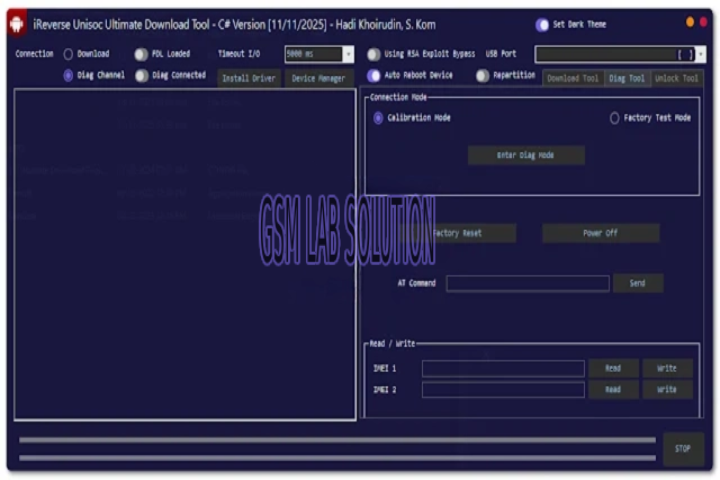
river Unisoc Ultimate Tool is a turnkey option that works with almost any Unisoc phone you have. This module tends to concentrate on easy-to-solve problems connected to updating flash files, unlocking FRP, provisioning of software repair partition devices, factory settings stalling, and other errors linked with software corruption. The software employs a proprietary set of algorithms geared towards higher speed, enabled by a faster and more reliable network.
Key Features of iReverse Unisoc Ultimate Tool
1. FRP Unlock (Google Account Bypass)
This utility discloses rapid and efficient methods for FRP bypass on your Unisoc gadget that works on the latest Android platforms. It embraces multiple methods of FRP removal, including ADB, fast boot, and direct unlock modes.
2. Flash Firmware on Unisoc Devices
With the iReverse Unisoc Ultimate Tool, service people can now install or update stock ROMs in a seamless way. This goes a long way in resolving boot loops, system crashes, “forced” shutdowns without prior warning, and other similar system-level malfunctions.
3. Factory Reset / Format Device
With the factory reset, it is easy to recover your Unisoc gadget into the factory mode without the need of recovery mode or other external software.
4. Read/Write Firmware Partitions
This is the feature that permits engineers to mechanically reconfigure partitions per requirements, like boot, recovery, system, user data, or vendor partitions, and work on a laptop.
5. Fix Dead Boot / Software Corruption
Designed in a way that carries the repair in it, it requires Unisoc Ultimate Tool and can be of rescue even to the soft or semi-bricked Unisoc handset.
7. User-Friendly Interface
These functions are an open secret to all the applicants, as they have descriptive names connected to their names.
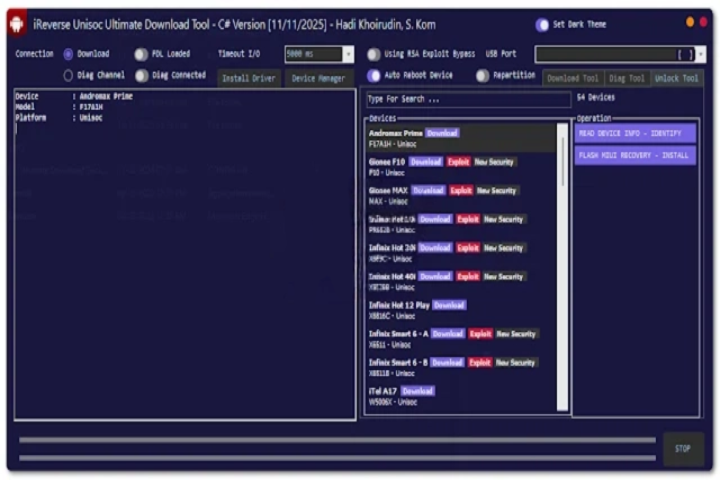
How to Install the iReverse Unisoc Ultimate Tool
Step 1: Extract the ZIP File
Right-click on the downloaded file and select Extract Here or Extract to location.
Step 2: Install Unisoc Drivers
Don’t forget to install your device USB drivers when needed before you use the tool. This is to establish a well-passed worded relationship between the PC/mobile.
Step 3: Run the Setup File
This is the step in which you should unzip the file, and then you should go into the unzipped folder that has been created.
Step 5: Launch the Tool
The action that takes place when the program shortcut is selected after installation has been carried out.
Step 6: Connect Your Device
Ensure the hosting device is in a power-down situation, and then insert a USB cable and connect your device to the PC.
Download Link: HERE
Your File Password: 123
File Version & Size: | 23.12 MB |
File type: compressed / Zip & RAR (Use 7zip or WINRAR to unzip File)
Support OS: All Windows (32-64 bit)
Virus Status: 100% Safe Scanned By Avast Antivirus