FlexUnlock Tool v1.2.17.00 Update Fix With Login Lifetime
FlexUnlock Tool

Introduction
FlexUnlock Tool 1.2.17.00 is the most recent Android-providing toolkit that has a lot to offer for GSM technicians, mobile repairers, and power users who are looking for the simplest and securest ways to unlock phones.
Description
It is a popular utility in the industry that comprises FRP removal, resetting locks and the factory, and fundamental system care services.
Automation stands at the very core of the system as the most vital feature of the FlexUnlock Tool. The majority of the commands will be one-hand operations. This will minimize the manual command usage problems and save the repairman’s valuable time in the busy shop. The interface is neat and orderly with easily navigable tabs, which are washable for beginners.
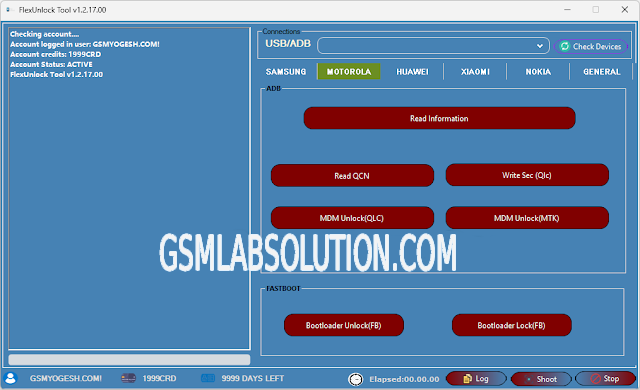
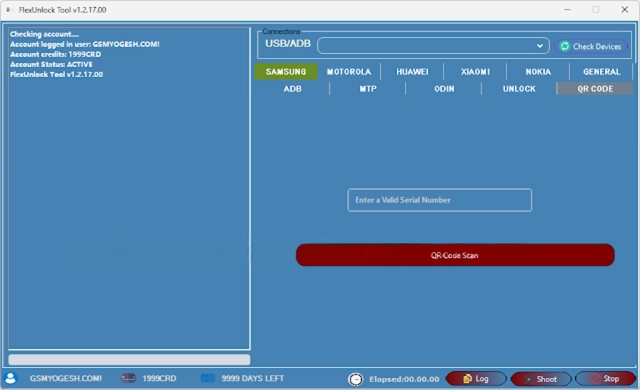
Key Features of the FlexUnlock Tool v1.2.17.00
✔ FRP Lock Removal
Unlocks device remotely (no more Google Activation Lock).
✔ Screen Lock Unlocking
Unlock screen lock—delete a picture, password, or face & fingerprint sensors without changing the device’s whole firmware.
✔ ADB & Fastboot Support
Control the primary utilities such as the relink command, erase data, and reading device information.
✔ Automatic Device Detection
The model of the unit, connection mode, and managed services are recognized without the user participating.
✔ Soft Brick Repair
Return your phone to the standard mode by fixing the boot loop or even the crashed system.
✔ Fast & Stable Performance
With the help of enhanced scripts, go for a fully installed OS in mere seconds.
✔ Real-Time Operation Logs
Ensures monitoring and troubleshooting of the status by displaying advanced movement logs.
✔ User-Friendly Interface
Simple UI for anybody—from the beginner to the pro.
How to Install the FlexUnlock Tool v1.2.17.00
Step 1:
Download the Tool
Step 2: Extract the Package
Use WinRAR or 7-Zip to extract the ZIP or RAR file.
Step 3: Install Required Drivers
Get the right Windows files for the necessary USB drivers:
ADR & Fastboot drivers
Samsung USB driver
Qualcomm USB driver
MTK USB VCOM driver
Step 4: Run the Tool
Do: Run the tool as an administrator by locating and clicking on it in its extracted folder.
Step 5: Connect the Device
Plug the device into a USB cable and insert it into the USB port on your PC.
Step 6: Select the Operation
Highlight the function you want to perform—whether it is password removal, unlocking, resetting, or repairing.
Step 7: Start the Process
Click on Start for the process to begin and wait for the completion message. The device restarts automatically after finishing.
Download Link: HERE
Your File Password: 123
File Version & Size: | 680.0 B || v1.2.17.00 |
File type: compressed / Zip & RAR (Use 7zip or WINRAR to unzip File)
Support OS: All Windows (32-64 bit)
Virus Status: 100% Safe Scanned By Avast Antivirus