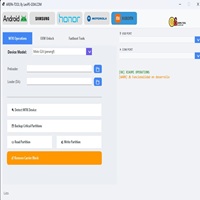
Android Multi Tool v1.3.4.2 Released (Free Auth)
Android Multi Tool

Introduction
With the increased Android device security systems that impose bigger obstacles for bypassing them, it is vital to let reliable and automatic tools come to the forefront. The most attractive aspects of Android Multi Tool are its ease of use, comparable compatibility with a variety of devices, and excellent performance.
Description
One of the strongest advantages of Android Multi Tool is its straightforward and lightweight interface. This application differs from complicated professional arrangements, which require a dongle or a special fee. Instead, Android Multi Tool has absolutely the most necessary options, and users have no problem with navigation.
The present version, 1.3.4.2, looks forward to improving the compatibility with more recent Android security patches and also to increasing the general stability of the tool. The live status messages and impact logs let users be in touch with the ongoing tasks all the time. It does not matter whether your task is to open the forgotten screen lock or the system—Android Multi Tool v1.3.4.2 always stays accurate.
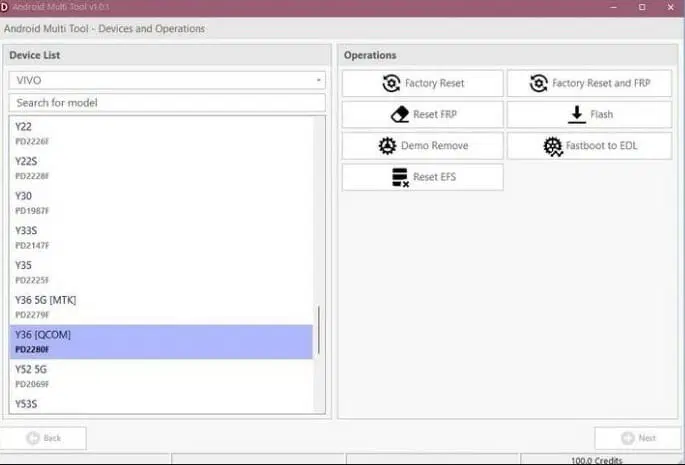
Key Features of Android Multi Tool v1.3.4.2
FRP Bypass Support:
Elimination of the Google account (FRP) blocking on eligible smartphones and tablets.
Screen Lock Removal:
Bypass the Android lock screen with your device using ADB or Fastboot modes.
ADB & Fastboot Commands:
Carry out fundamental orders meant for system maintenance, such as the ones for rebooting, wiping, and the info for your device.
Factory Reset Option:
Do a full initialization with the tool.
Device Information Reading:
Get informative details about the smartphone, like model type, Android version, or connection status.
Fast & Lightweight Tool:
Guarantees you an effortlessly working application on a PC that has not got the latest specs.
Beginner-Friendly Interface:
A friendly part provides for convenient operation for newbie technicians.
No Dongle Required:
This efficient system necessitates no hardware dongles or complex registration.
Read Also: KRDT Utility Pro v1.5.0
How to Install Android Multi Tool v1.3.4.2
Step 1:
Downloading the Tool
Step 2: Extract the Files
Just right-click on the files that were downloaded in a ZIP or RAR format and choose Extract to the files of your preference using WinRAR or 7-Zip.
Step 3: Installing Required Drivers
ADB & Fastboot Drivers
Samsung USB Driver
Step 4: Enable USB Debugging
If available, go to “Settings > About phone > Build number” and tap it several times until you see a message saying “Developer options enabled,” and from the developer options, enable USB Debugging.
Step 5: Run the Tool
Find the folder where the tool is located and run the .exe file as an administrator.
Step 6: First of all, you need to connect your phone to the PC using a USB cable
In the final run you need to connect your Android phone to a PC using a USB cable.
Step 7: Select the Operation
Choose from different functions, like Unlock, Reset, or more, on the input screen.
Step 8: Start the Process
The device will boot on its own.
Download Link: HERE
Your File Password: 123
File Version & Size: | 50 MB || V1.3.4.2 |
File type: compressed / Zip & RAR (Use 7zip or WINRAR to unzip File)
Support OS: All Windows (32-64 bit)
Virus Status: 100% Safe Scanned By Avast Antivirus