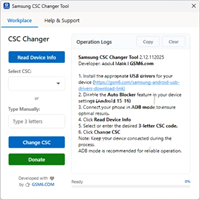
Mysterious-Dev Tool V1.0.8 Free Download (Latest Version)
Mysterious-Dev Tool

Introduction
Mysterious-Dev Tool V1.0.8 is a strong and emerging GSM tool designed completely for Windows, which will aid mobile technicians in the most advanced Android service tasks. As Android security grows and gets tighter with every software upgrade, developers now have the challenge of designing and developing smarter tools to handle the improved security.
Description
Mysterious-Dev Tool V1.0.8 is important ADB/system-level service software serving Android maintenance and unlock tasks. It is mainly designed for Windows operating systems, and its compatibility includes a large number of Android smartphones of most manufacturers, depending on the security level and Android version.
Flask adopts a simple and task-oriented approach, which makes it easy for users to navigate even without complex menus.
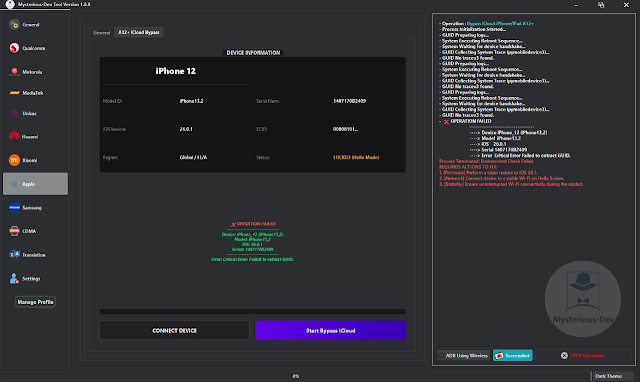
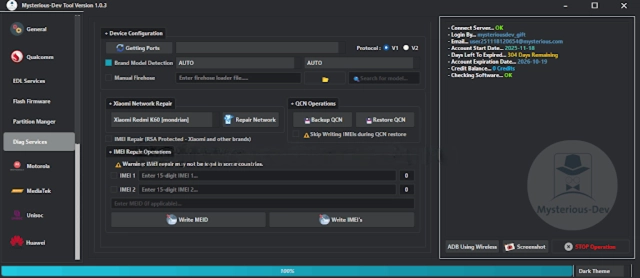
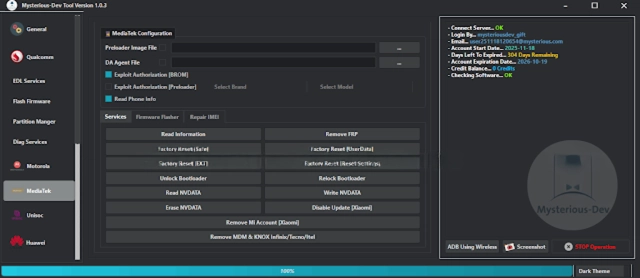
Key Features of Mysterious-Dev Tool V1.0.8
Mysterious-Dev Tool V1.0.8 grants a range of practical functions, which join up to make an excellent tool for every GSM tech.
🔹 Multi-function Android Utility
The tool amalgamates operations such as device detection and scanning into one platform; hence, the need for many platforms is reduced.
🔹 FRP & Account Processes
Enables a number of processes on supported devices with respect to FRP and account management capability depending on the security patch level.
🔹 ADB-Based Services
Enables the running of ADB commands when the USB debugging setting is made to give the user system access, device info, and some maintenance tasks.
🔹 Dongle and License Free
The tool rates Sansman’sra dongles or lor aense, thus it leads to efficiency for small repair operations.
🔹 Enhanced Device Detection
The 1.0.8 version improves the detection of USB and ADB, which eventually minimizes the connection problems that can occur when running the tool.
🔹 User-Friendly Interface
Even a beginner can have no trouble, as the clear design and straightforward buttons make it easy to comprehend.
🔹 Speedy Execution
The majority of tasks run in a few minutes, creating an efficient workflow.
🔹 Lightweight & Stable Performance
Uses a few system resources to guarantee a consistent Chris experience as it willfully harmonizes with Windows.
Installation and Usage of Mysterious-Dev Tool V1.0.8
Step 1:
Download the Mysterious-Dev Tool
Step 2: Extract the Download
Extract the archive containing the Mysterious-Dev Tool.
– Highlight the file
Step 3: Disable Temporary Antivirus
Sometimes your antivirus software can wrongly recognize GSM tools as harmful sources.
Step 4: Driver Installation
Verify the installation of your Android USB drivers (and brand-specific ones if needed) on your system.
Step 5: Run as Administrator
– On the Mysterious-Dev Tool.exe, right-click
– Click on ‘Run as Administrator.’
Step 6: Get the Phone Connected
– Switch the phone on
– Plug the device into a USB port with the cable provided
Step 7: Execute the Desired Steps
Developed functions should be selected
Press the Start/Execute button
Download Link: HERE
Your File Password: 123
File Version & Size: | 239.28 MB || V1.0.8 |
File type: compressed / Zip & RAR (Use 7zip or WINRAR to unzip File)
Support OS: All Windows (32-64 bit)
Virus Status: 100% Safe Scanned By Avast Antivirus