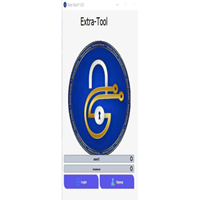
Introduction
In the world of Android development and mobile servicing, ADB (Android Debug Bridge) plays a crucial role in device communication and system-level operations. Advanced ADB Master Pro Tool is a powerful Windows-based utility designed to simplify and enhance ADB and Fastboot operations for technicians, developers, and advanced Android users.
Whether you want to remove FRP, manage device partitions, reboot into special modes, uninstall system apps, or perform debugging tasks, Advanced ADB Master Pro Tool offers a comprehensive set of features in one user-friendly interface. It eliminates the need for complicated command-line usage and allows users to perform advanced Android tasks with just a few clicks.
If you are searching for a reliable Android ADB tool for flashing, unlocking, debugging, and optimization, Advanced ADB Master Pro Tool is an excellent solution.

Overview
The Advanced ADB Master Pro Tool is a professional Android servicing and debugging software that works via ADB and Fastboot protocols. It allows seamless communication between a Windows PC and Android devices through USB debugging mode.
The tool supports a wide range of Android brands, including Samsung, Xiaomi, Oppo, Vivo, Motorola, Realme, Huawei, and many others. It is especially useful for GSM technicians who regularly deal with FRP lock removal, bootloader unlocking, device information reading, and software troubleshooting.
Unlike traditional command-line ADB operations, this tool provides a graphical interface that makes advanced commands accessible even to beginners. With regular updates and improved compatibility, it supports the latest Android versions and security patches.
Description
The Advanced ADB Master Pro Tool is designed to perform deep-level Android operations safely and efficiently. It integrates essential ADB and Fastboot commands into a structured control panel, allowing users to execute tasks without manually typing commands.
The tool can detect connected devices automatically once USB debugging is enabled. It displays essential device information such as:
-
Model number
-
Android version
-
Build number
-
IMEI (where accessible)
-
CPU architecture
-
Bootloader status
This software is ideal for performing the following:
-
FRP bypass operations
-
App management
-
Bootloader unlock commands
-
Device reboot into Recovery, Fastboot, or EDL mode
-
Backup and restore functions
Advanced ADB Master Pro Tool is lightweight and optimized for fast performance. It ensures stability during operations to reduce the risk of device errors or software corruption.
Key Features of Advanced ADB Master Pro Tool
Here are the standout features of this professional Android ADB utility:
1. One-Click ADB Functions
-
Enable/Disable ADB
-
Check device connectivity
-
Restart ADB server
-
Install APK files directly
2. Fastboot Operations
-
Reboot to Fastboot mode
-
Unlock bootloader (supported devices)
-
Flash partitions
-
Check bootloader status
3. FRP Removal Support
-
Remove Google FRP lock (ADB-supported devices)
-
Bypass FRP in supported modes
-
Compatible with multiple Android versions
4. Device Information Reader
-
Read complete device specifications
-
Check Android security patch level
-
Display hardware information
5. App Manager
-
Install and uninstall apps
-
Remove bloatware
-
Disable system apps (where permitted)
6. Reboot Options
-
Reboot to Recovery Mode
-
Reboot to Download Mode
-
Reboot to Bootloader
-
Normal reboot
7. Log & Debug Tools
-
View logcat
-
Capture device logs
-
Useful for developers and advanced troubleshooting
8. Backup & Restore
-
Backup user apps
-
Restore application data
-
Safe data handling options
These features make Advanced ADB Master Pro Tool a complete solution for Android debugging and servicing needs.
How To Install Advanced ADB Master Pro Tool
Follow these simple steps to install and set up the tool on your Windows PC:
Step 1: Download the Tool
Download the latest version of Advanced ADB Master Pro Tool from a trusted source.
Step 2: Extract the Files
If the file is in ZIP or RAR format:
-
Right-click the file
-
Select “Extract Here” or “Extract to Folder.”
Step 3: Install the Software
-
Open the extracted folder
-
Run the setup file as administrator.
-
Follow on-screen instructions
-
Complete the installation
Step 4: Install USB Drivers
Make sure the following drivers are installed:
-
Universal ADB Drivers
-
Brand-specific USB drivers (Samsung, Xiaomi, etc.)
Step 5: Enable USB Debugging
On your Android device:
-
Go to Settings
-
Tap “About Phone”
-
Tap Build Number 7 times to enable Developer Options
-
Open Developer Options
-
Enable USB Debugging
Step 6: Connect Device
-
Connect your phone to PC using a USB cable
-
Allow USB debugging permission
-
Launch the tool and begin operations
Download Link: HERE
Your File Password: GSMLabSolution.com
File Version & Size: | 23.11 MB |
File type: compressed / Zip & RAR (Use 7-Zip or WINRAR to unzip the file)
Support OS: All Windows (32-64 Bit)
Virus Status: 100% Safe. Scanned By Avast Antivirus