Introduction
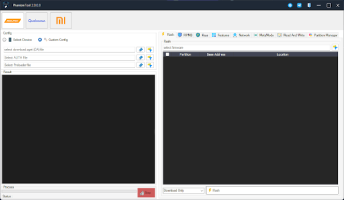
DFT PRO v6.7.5 is a professional mobile servicing and unlocking tool designed for technicians who work with Android smartphones on a daily basis. In the competitive mobile repair industry, having a reliable and regularly updated tool is essential for flashing firmware, removing locks, and repairing software-related issues. DFT PRO v6.7.5 provides a powerful platform that helps technicians perform complex operations in a simple and efficient way.
With continuous updates and expanded device support, DFT PRO has become one of the most trusted tools among mobile repair professionals. Whether you are fixing bootloop problems, bypassing FRP locks, or performing firmware upgrades, DFT PRO v6.7.5 offers the performance and stability needed for professional results.
Overview
DFT PRO v6.7.5 is a Windows-based Android servicing software that supports multiple smartphone brands and chipsets. It is designed to handle advanced repair operations such as flashing, unlocking, FRP removal, IMEI repair (where legally permitted), and device troubleshooting. The tool works through USB connectivity and supports different modes like ADB, Fastboot, and Download Mode.
This version comes with improved stability, faster processing speed, and enhanced compatibility with newer Android devices. The software is widely used in professional repair shops due to its all-in-one functionality and clean interface. Instead of using multiple separate tools, technicians can perform most repair operations within DFT PRO v6.7. 5.
Its regular updates ensure that it stays compatible with the latest Android security patches and smartphone models.
Description
DFT PRO v6.7.5 is an advanced Android repair and unlocking tool built to simplify complicated servicing tasks. It supports a wide range of operations, including firmware flashing, factory reset, screen lock removal, and FRP bypass. The tool is especially useful for repairing devices that are stuck on the logo, experiencing system crashes, or facing software corruption.
One of the strongest advantages of DFT PRO v6.7.5 is its broad brand support. It works with popular manufacturers such as Samsung, Xiaomi, Oppo, Vivo, Huawei, Realme, and more. The tool communicates directly with devices through properly installed USB drivers, allowing smooth and secure operations.
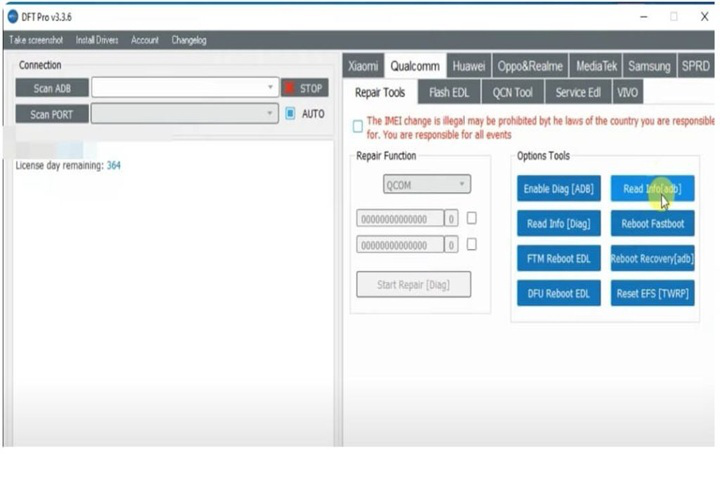
The interface is designed for ease of use. Even though it offers advanced professional features, the layout makes it accessible for users who have basic technical knowledge. Each function is organized clearly, reducing the risk of mistakes during servicing tasks.
Key Features of DFT PRO v6.7.5
Here are the main features of DFT PRO v6.7.5 that make it a powerful Android servicing Solution:
1. Firmware Flashing
Install or reinstall official firmware to fix software issues, remove bugs, and restore devices to factory condition.
2. FRP Lock Removal
Bypass Google Factory Reset Protection on supported Android models.
3. Screen Lock Unlock
Remove PIN, pattern, or password locks in authorized repair cases.
4. Factory Reset & Data Wipe
Reset devices to default settings to fix system errors and performance issues.
5. Bootloop & Soft-Brick Repair
Repair devices stuck on the boot logo or not starting properly.
6. Multi-Brand Support
Compatible with various Android brands and chipsets.
7. ADB & Fastboot Functions
Perform advanced operations through debugging and fastboot modes.
8. Regular Updates
Frequent updates add new models and improve performance.
9. User-Friendly Dashboard
Simple interface that helps technicians navigate functions easily.
How To Install DFT PRO v6.7.5
Follow these steps to install and set up DFT PRO v6.7.5 properly:
-
Download the Setup File
Obtain the official DFT PRO v6.7.5 installation package from a trusted source. -
Extract the Files
If the file is compressed, extract it using WinRAR or 7-Zip. -
Disable Antivirus Temporarily (Optional)
Some security software may flag servicing tools during installation. -
Install USB Drivers
Ensure necessary smartphone USB drivers are installed on your PC. -
Run Installer as Administrator
Right-click the setup file and select Run as Administrator. -
Complete Installation Process
Follow the on-screen instructions until installation is finished. -
Launch DFT PRO v6.7.5
Open the software from your desktop shortcut. -
Connect Device via USB
Put your smartphone in the required mode (ADB, Fastboot, or Download Mode). -
Select the Required Operation
Choose flashing, unlocking, or repair functions and start the process.
Download Link: HERE
Your File Password: 123
File Version & Size: | v6.7.5 || 70.53 MB |
File type: compressed / Zip & RAR (Use 7zip or WINRAR to unzip File)
Support OS: All Windows (32-64 bit)
Virus Status: 100% Safe Scanned By Avast Antivirus