Android Utility Tool V200 New Update (12:12:2025)
Android Utility Tool

Introduction
With the introduction of version V200, the focus lies on performance enhancement, support of the most recent gadgets, and the extension of valuable functions utilized by GSM technicians all around the world.
The upgrade version was targeting the specialist in Android smartphone repair who works with FRP removal, bootloader controls, ADB and Fastboot commands, Samsung repairing, and MediaTek/Qualcomm servicing, among others, on a daily basis. The new Android Utility Tool V200 version improves all the previous options with faster work, an easier interface, and advanced chipset detection.
Description
Android Utility Tool V200 presents a major advantage: the tool is compatible with a wide range of Android phones. It supports almost all Android brands on the market, which are Samsung, Xiaomi, Poco, Redmi, Vivo, Oppo, Realme, Motorola, Nokia, Tecno, Infinix, Lava, and plenty of others.
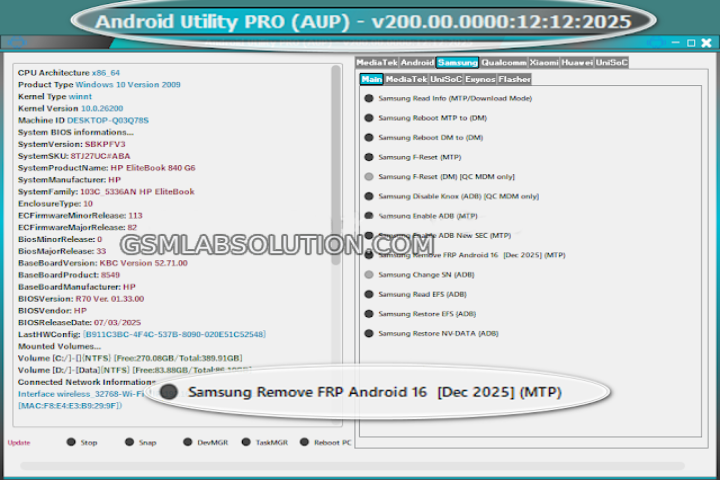
Key Features of Android Utility Tool V200
1. FRP Bypass for All Major Brands
Contain ADB, Fastboot, an emergency FRP solution box, EMEI fix, EMEI backup/screen lock removal options.
2. Advanced ADB Operations
Retrieve equipment data
Screen unlock (ADB Mode)
Business excess/avoidance
Reboot options
Backup/restore options
3. Fastboot Mode Tools
Unlock/Relock bootloader
Flash partitions
Erase formatting data
Optimization of Fast boot commands
4. MediaTek (MTK) Functions
Authentication bypass
Partition backup/restore
Refresh FRP/item back to factory settings
Bootloader works/operations
5. Qualcomm Utilities
EDL functions for the handset
Read/write basic device info
6. Sideload & Recovery Tools
Flash OTA files
Wipe cache/data
7. Lightweight, Fast & Auto Offline
No need for heavy installations, and it runs on Windows 7, 8, 10, and 11 without any issues.
How to Install Android Utility Tool V200
Step 1: Get the Software on Your Computer
Step 2: Unzip the Files
Use 7-Zip or WinRAR to extract the downloaded files.
Right-click → Extract Here.
Step 3: Turn Off Your Virus Protection
Antivirus programs have a list that says which actions are threats, and a substantial number of GSM tools are similar to viruses.
Step 4: Load Necessary Drivers
ADB Drivers
MTK Drivers
Qualcomm Drivers
Samsung USB drivers
This will allow you to communicate properly with a device.
Step 5: Start using the software
Choose the required feature—FRP, ADB, Fastboot, MTK, Samsung, or Qualcomm—and follow the instructions.
Download Link: HERE
Your File Password: 123
File Version & Size: | 209.64 MB || V200.00 |
File type: compressed/zip & RAR (use 7zip or WinRAR to unzip the file).
Support OS: All Windows (32-64 bit)
Virus Status: 100% Safe Scanned By Avast Antivirus