Introduction
To resolve these issues efficiently, help from software professionals comes in the form of the Extra-KG-MDM Tool.
This gives the software a competitive edge, as the software delivers multiple repair and management functions to achieve the goal of allowing a smoother mobile servicing process.
It levels up the software, as it is a versatile remedy for mobile repair professionals and higher-level users.
Overview
It offers an interface intended to stay in a person’s mind. All key components are briefly presented, with the possibility to choose them in a straightforward and unambiguous way.
The v1.0 software puts emphasis on operation stabilization, increased proprietary USB connection speed, and overhauls compatibility with newly supported Android devices. The updated version has a wide range of benefits useful to engineers for faster and easier handling of tasks.
Description
Such systems in place may prevent a user from accessing major functions or making use of the device for its proper functioning.
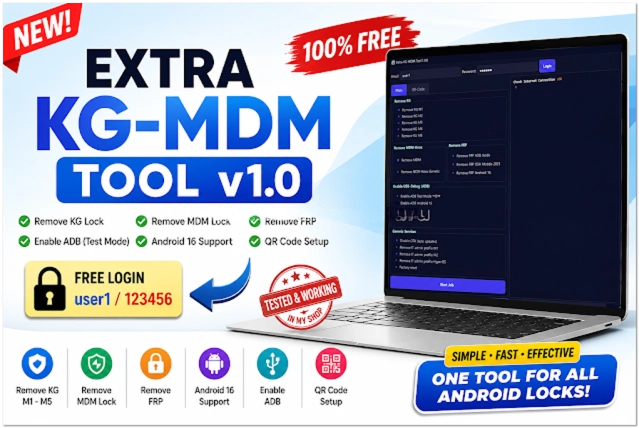
Among the key functions of the tool is KG Lock management, which permits technicians to conduct operations related to devices protected by Knox Guard using the module.
The software comes with ADB and fast boot functions, guaranteeing the match between supported Android devices and the communication tools.
Key Features
Extra-KG-MDM Tool v1.0 has several advanced features for professionals working with smartphones on the Android platform.
KG Lock Management
Enables operations related to devices protected by Knox Guard.
MDM Management
Evaluates options for mobile device management.
ADB and Fastboot Support
Communicate with the device using the protocols ADB and Fastboot.
Multi-Device Compatibility
Works across a number of Android smartphones and chipsets with this.
Fast Processing Engine
Optimized to provide fast and efficient work.
Stable Performance
The system will be far more stable, and any person concerned would benefit from the improved normal performance of the OS.
User-Friendly Interface
The simple layout is suitable for everyone from a novice to an expert.
How to Install Extra-KG-MDM Tool v1.0
Step 1:
Unpack the archive by choosing a trusted source, offering mobile repair software precisely, and taking the Extra-KG-MDM Tool v1.0.
Step 2:
Use Windar or 7-Zip to extract the downloaded ZIP or RAR archives as well.
Step 3:
You’ll see the installation files once you go through the process of extraction.
Step 4:
You need to install the necessary USB and ADB drivers for flawless communication between the device and the PC.
Step 5:
Follow the provided setup prompts and click “Continue” when you want to install the software.
Step 6:
Right-click to launch the software, and then select “Run as Administrator.”
Step 7:
Activate USB debugging on the Android phone by setting up the Development Options that are included in Settings.
Step 8:
Plug the smartphone into the computer using a USB wire and start using the instrument.
Download Link: HERE
Your File Password: Gsmlabsolution.com
File Version & Size: | 41.58 MB || V1.0 |
File type: compressed / Zip & RAR (Use 7zip or WINRAR to unzip File)
Support OS: All Windows (32-64 Bit)
Virus Status: 100% Safe. Scanned By Avast Antivirus