DeepSmartTool v0.41 Free Download [English Version]
DeepSmartTool v0.41

Introduction
In the highly demanding and progressive tech space, smartphone technicians need innovative and timesaving tools and resolve smartphone issues of any complexity. Therefore, one gets a perfect software solution in the newly released DeepSmartTool v.0.41, which sports improved stability, better performance, more device coverage, and new tools.
Overview
These communication methods allow one to converse with the device’s operating system directly, which in turn assists in solving tasks that require advanced technical skills.
One of the distinctive features of DeepSmartTool is its cross-branding.
Description
The devices might face circuit loops, uncommon system halts, corruption of the recovery system, or various locks.
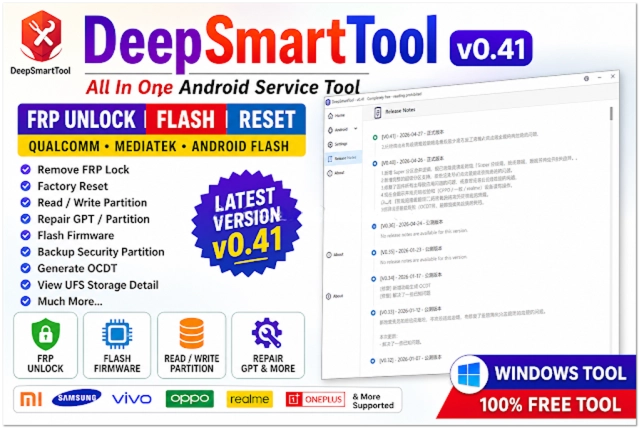
DeepSmartTool provides professionals with a comprehensive set of utilities that make problem diagnosis and resolution a quick and thorough process. DeepSmartTool 0.41 builds a full-circle toolkit for Android device fixes and unforeseen minor miracle cases to resolve an issue.
Key Features
The application of the DeepSmartTool 0.41 release features some strong functions that bring mobile repair technicians a lot of convenience.
Firmware Flashing
Taking care of the installation or reinstallation of software on a smartphone to deal with its issues.
Device Unlocking
Removal of screen locks, PIN locks, and strict rules.
FRP Removal
Bypassing factory reset protection can be facilitated for devices on the support list.
Multi-Brand Support
A compatible range for many Android phones is what it is about.
ADB and fastboot support
Uses the ADB and fast boot protocols to serve as the only two connectivity options.
Device Information Reader
A window with the exact name of the device as it has been in effect is popped up before applying any operations.
Fast Processing Engine
Speedy vehicle perfectly tuned to the high-speed requirements of the repair job.
How to Install DeepSmartTool v0.41
Step 1:
A trusted mobile repair tools site can assist you in downloading the DeepSmartTool v0.41 setup package.
Step 2:
Extract the archive that’s in the ZIP or RAR format using WinRAR or 7-Zip software.
Step 3:
Having done so, open the located folder and click the installation file as a result.
Step 4:
Please ensure that the USB drivers and the ADB drivers are installed for a good understanding between the device and the computer.
Step 5:
The user has to find and double-click the setup file in the folder and then proceed with the installation following the program’s instructions.
Step 6:
Go to the “Run as” menu and choose “Administrator,” and then run the tool.
Step 7:
USB debugging functionality is to be set on Android through Developer Options.
Step 8:
As a final step in this process, link the Android smartphone to the computer using a data cable and start accessing the software.
Download Link: HERE
Your File Password: GSMLabSolution.com
File Version & Size: | 22.33 MB || V0.41 |
File type: compressed / Zip & RAR (Use 7-Zip or WINRAR to unzip the file)
Support OS: All Windows (32-64 Bit)
Virus Status: 100% Safe. Scanned By Avast Antivirus